32
Template Go, Version 1, 01.07.2014 / ModuleVersion 1.0
Telephone settings
Gigaset A170-A170A / A270-A270A / LUG GR-IE-MEA-UK-International en / A31008-M2802-B101-1-4N19 / telephony.fm / 9/
Operating the base with a PABX/router
Operation with a router
When operating on the analogue connection of a router, echoes potentially occurring can be
reduced by enabling Echo mode.
¤ MENU Settings OK Base OK Additional OK Echo mode OK
( = activated)
Operation with a PABX
The following settings are only necessary when your PABX requires them; refer to the PABX user
guide. Enter the digits slowly one after the other.
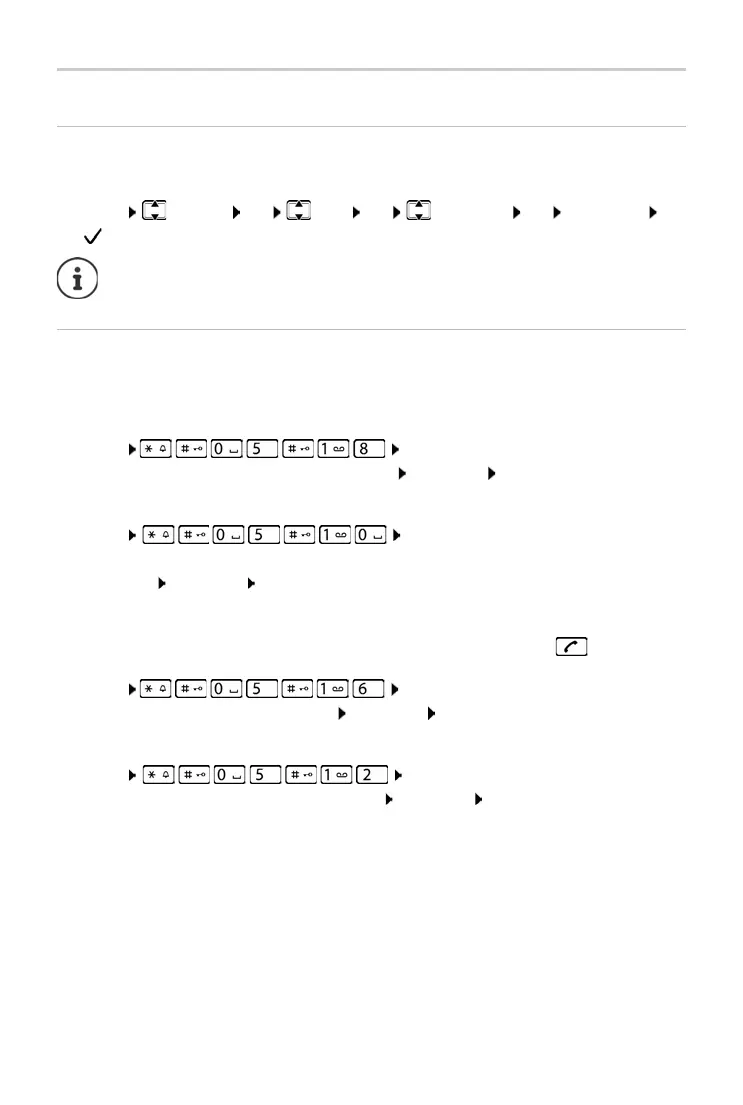
Changing the dialling mode
¤ MENU The digit for the set dialling mode flashes:
0 = Tone dialling (DTMF); 1 = Pulse dialling (PD) Enter digit OK
Setting the flash time
¤ MENU The digit for the current flash time flashes:
0 = 80 ms; 1 = 100 ms; 2 = 120 ms; 3 = 400 ms; 4 = 250 ms; 5 = 300 ms; 6 = 600 ms;
7 = 800 ms Enter digit OK
Changing pause after line seizure
You can set the length of the pause inserted between pressing the Talk key and sending
the phone number.
¤ MENU The digit for the current pause length
flashes: 1 = 1 sec.; 2 = 3 sec.; 3 = 7 sec. Enter digit OK
Changing pause after recall key
¤ MENU The digit for the current pause length
flashes: 1 = 800 ms; 2 = 1600 ms; 3 = 3200 ms Enter digit OK
If there are no problems with echoes, this function should be deactivated.



 To Next Page