16
Template Go, Version 1, 01.07.2014 / ModuleVersion 1.0
Directory
Gigaset A170-A170A / A270-A270A / LUG GR-IE-MEA-UK-International en / A31008-M2802-B101-1-4N19 / telephony.fm / 9/
Directory
The local directory is unique to the handset. However, it is possible to send entries to other
handsets ( p. 16).
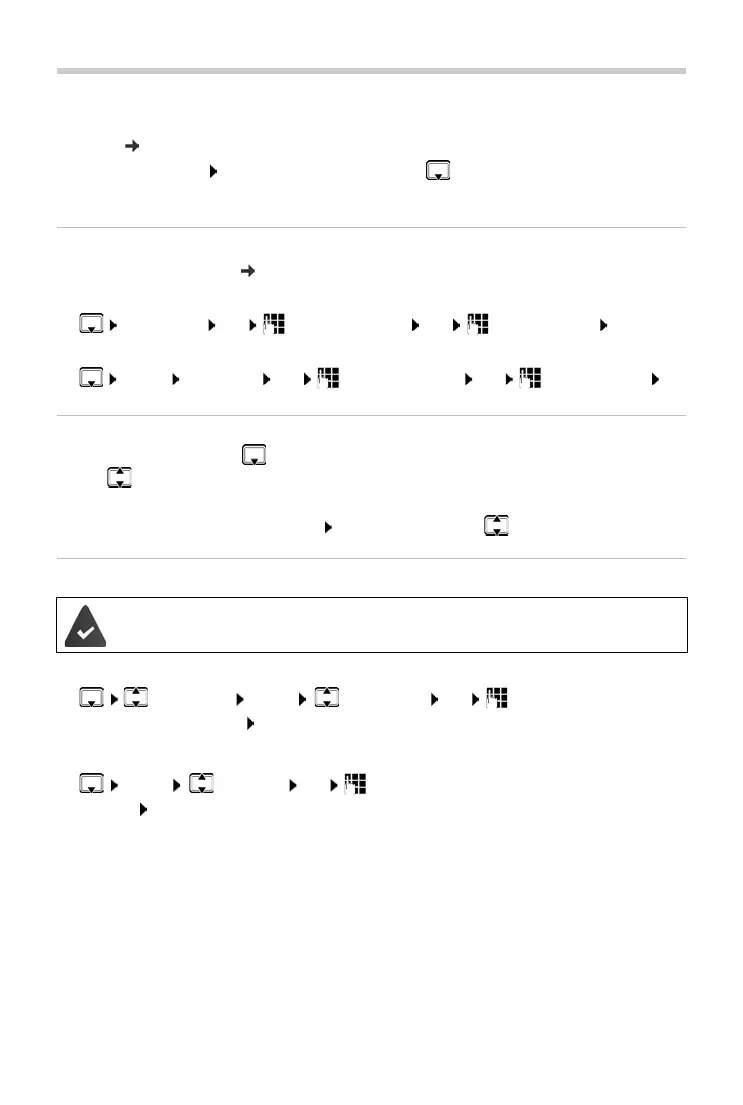
To open the directory:
Press down on the control key
Phone numbers (max. 22 digits) with associated na
mes (max. 14 characters) can be stored.
Saving a number to the directory
Entering letters/characters ( p. 38).
First entry:
¤ New Entry? OK Enter the number OK Enter the name OK
More numbers:
¤ MENU New Entry OK Enter the number OK Enter the name OK
Selecting a directory entry
¤ Open the directory with .
¤ Use to scroll to the entry until the required name is selected.
or
¤ Enter the first character of the name scroll as required with to the entry.
Transferring a directory/directory entry to another handset
Transferring a directory entry to another handset
¤ Select entry MENU Send Entry OK Enter the internal number
of the receiving handset OK
Transferring a directory to another handset
¤ MENU Send List OK Enter the internal number of the receiving
handset OK
The sending and receiving handset must both be registered to the same base.
The other handset and the base are able to send and receive directory entries.



 To Next Page