Template Module, Version 2.1, 11.08.2020 / Template Basiseinstellungen: Version 3.1 - 07.07.2020
Making calls
COMFORT 550 / 550A / LUG_Kombi IM-Nord en / A31008-M3001-R201-1-SM19 / telephony.fm / 4/11/22
20
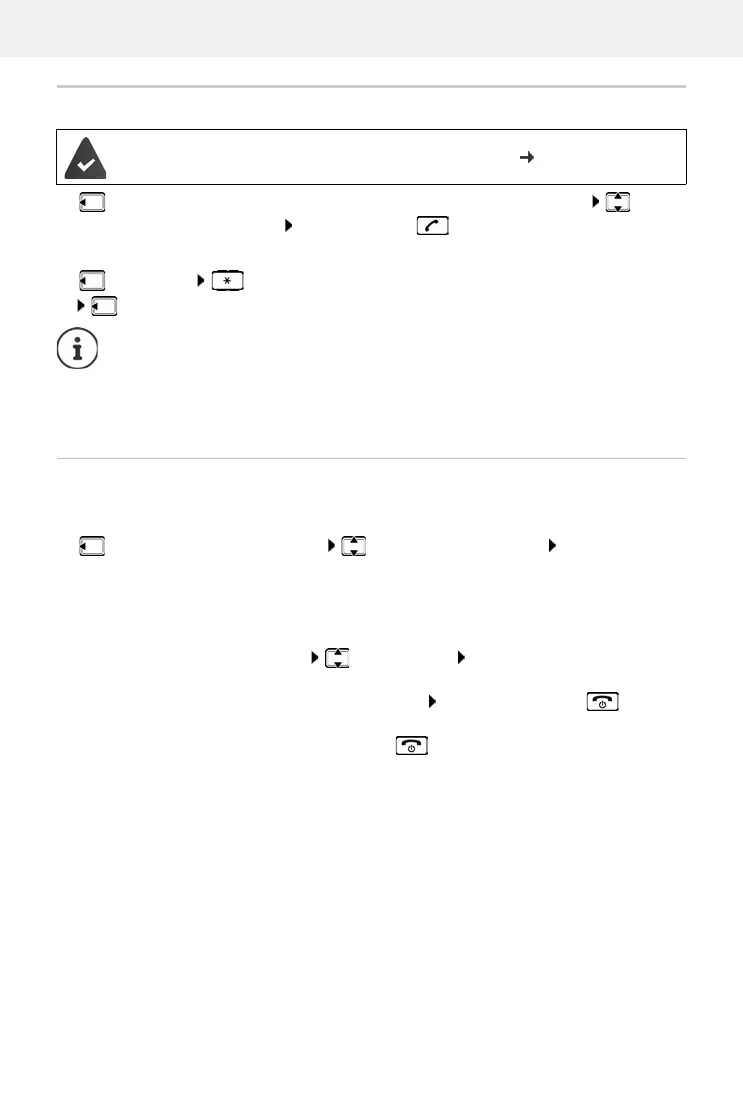
Making internal calls
Press briefly . . . the handset list is opened, this handset is indicated by < select
handset or C
all all (group call) Press the Talk key
Fast access for group call:
Press briefly
or press and ho
ld
Internal consultation call/Internal transfer
Call an external participant and transfer the call to an internal participant or hold a consultation
call with him or her.
. . . the list of handsets is opened select a handset or Call all OK . . . the internal
participant(s) are called . . . possible options:
Multiple handsets have been registered to the base station ( p. 55).
I
nternal calls to other handsets registered to the same base station are free of charge.
You hear the busy tone if:
• There is already an internal connection
• The handset being called is not available (deactivated, outside of range).
• The internal call is not accepted within 3 minutes.
Hold a consultation call:
Speak to the internal participant
Return to the external call:
Options End active call OK
Transfer the external call when the internal participant has answered:
Announce an external call Press the End call key
Transfer the external call before the internal participant answers:
Press the End call key . . . the external call is forwarded
immediately. If the internal participant does not answer or the line
is busy, the external call will automatically return to you.
End the internal call if the internal participant does not answer or the line is busy:
End . . . You return to the external call



 To Next Page