COMFORT 550 / 550A / LUG_Kombi IM-Nord en / A31008-M3001-R201-1-SM19 / applications_1.fm / 4/11/22
Template Module, Version 2.1, 11.08.2020 / Template Basiseinstellungen: Version 3.1 - 07.07.2020
Alarm clock
45
Alarm clock
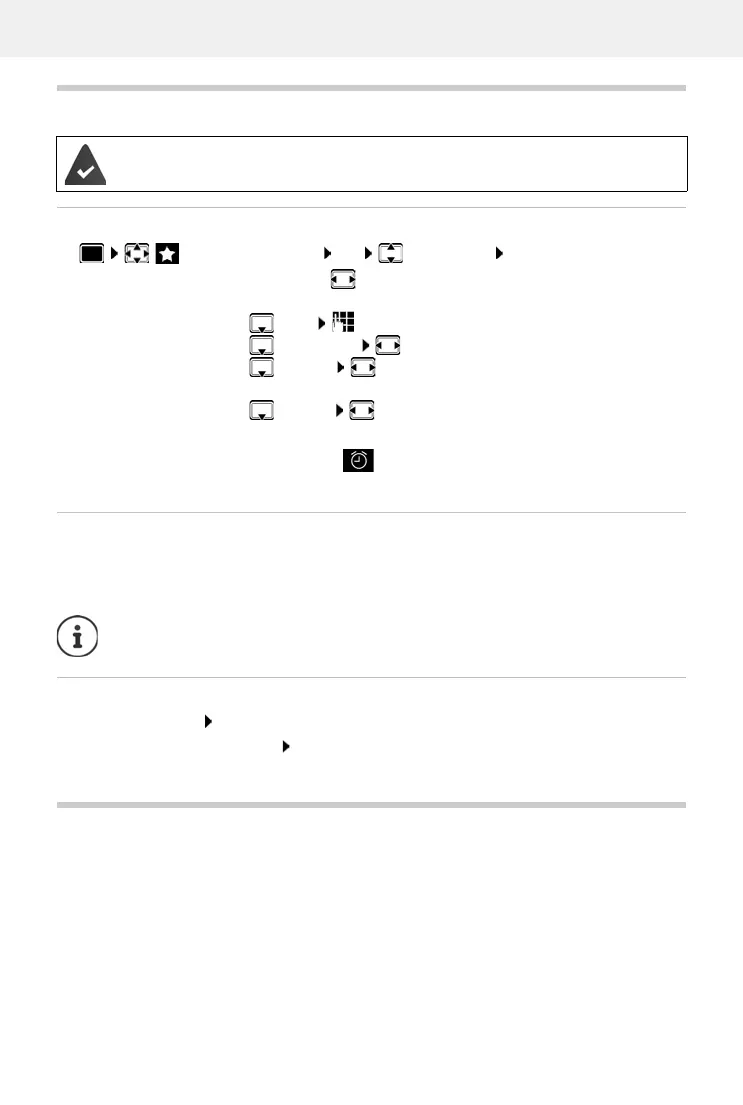
Activating/deactivating the alarm clock and setting the wake-up time
When the alarm clock is activated, the icon and the wake-up time are displayed in idle
display.
Alarm
An alarm is shown on the display and indicated by the selected ringtone melody. The alarm
sounds for 60 seconds. If no key is pressed, the alarm is repeated after 5 minutes. After the
second
repetition, the alarm call is deactivated for 24 hours.
Switching off/repeating the alarm after an interval (snooze mode)
Deactivate the alarm: OFF
Repeat the alarm (snooze mode): Press Sn
ooze or any key . . . the alarm is switched off and
repeated after 5 minutes.
Baby monitor
When the baby monitor is switched on, the stored (internal or external) destination number is
called as soon as a defined noise level is exceeded in the vicinity of the handset. The alarm to an
external number is cancelled after approximately 90 seconds.
You can answer the alarm using the Tw
o Way Talk function. This function is used to switch the
loudspeaker of the handset located in the baby's room on or off.
In baby monitor mode, incoming calls ar
e only indicated on the display (without ringtone). The
display backlight is reduced to 50%. Advisory tones are deactivated. All keys are locked, with the
exception of the display keys and the centre of the control key.
Date and time have been set.
Additional Features OK Alarm Clock OK . . . then
Switch on/off:
Activation: select On or Off
Setting the wake-up time:
Time enter hours and minutes
Set days:
Occurrence switch between Monday-Friday and Daily
Set the volume:
Volume set volume in 5 levels s or select crescendo
(increasing volume)
Set alarm:
Melody select a ringtone for the alarm
Save settings:
Save
During a call, the alarm is only indicated by a short tone.



 To Next Page