Template Module, Version 2.1, 11.08.2020 / Template Basiseinstellungen: Version 3.1 - 07.07.2020
Timer
COMFORT 550 / 550A / LUG_Kombi IM-Nord en / A31008-M3001-R201-1-SM19 / applications_1.fm / 4/11/22
44
Displaying/changing/deleting stored appointments
Timer
Setting the timer (countdown)
The timer starts the countdown. In the idle display, icon and the remaining hours and
minutes are displayed until one minute is left.
From this point, the remaining seconds are
counted down. At the end of the countdown, the alarm is triggered.
Disabling/repeating the alarm
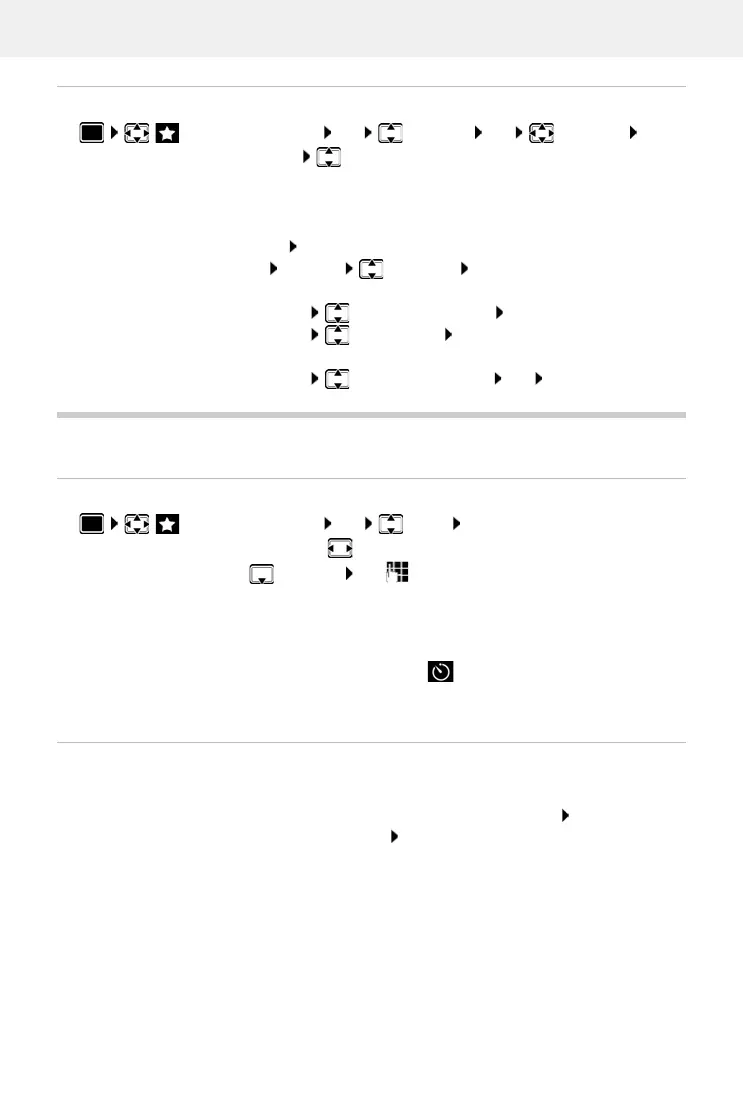
Additional Features OK Calendar OK select day OK . . .
the appointment list is displayed select date . . . possible options:
Display appointment details:
View . . . the appointment settings are displayed
Change appointment:
View Edit
or Options Edit entry OK
Activate/deactivate appointment:
Options Activate/Deactivate OK
Delete appointment:
Options Delete entry OK
Delete all appointments for a day:
Options Delete all Appoints. OK Ye s
Additional Features OK Timer OK . . . then
Enable/disable:
Activation: select On or Off
Set the duration:
Duration use to enter the hours and minutes for the
timer
Min.: 00:01 (one minute); Max.: 23:59 (23 hours, 59 minutes)
Save the timer:
Save
Switch off the alarm:
OFF
Repeat the alarm:
Restart . . . the timer display is displayed again set another
duration as required Save . . . the countdown is restarted



 To Next Page