Template Module, Version 2.1, 11.08.2020 / Template Basiseinstellungen: Version 3.1 - 07.07.2020
Handset
COMFORT 550 / 550A / LUG_Kombi IM-Nord en / A31008-M3001-R201-1-SM19 / settings_HS.fm / 4/11/22
60
Adjusting the telephone settings
Handset
Changing the language
If the handset has been set to an incomprehensible language:
Select country (if available)
Select the country where you are using the phone. Your selection is used for country-specific
defaults.
Display
Screensaver
A digital or analogue clock can be selected to be displayed as a screensaver when in idle status.
The screensaver is activated approx. 10 seconds after the display has changed to idle status.
End screensaver
Press the End call key briefly . . . the display changes to idle status
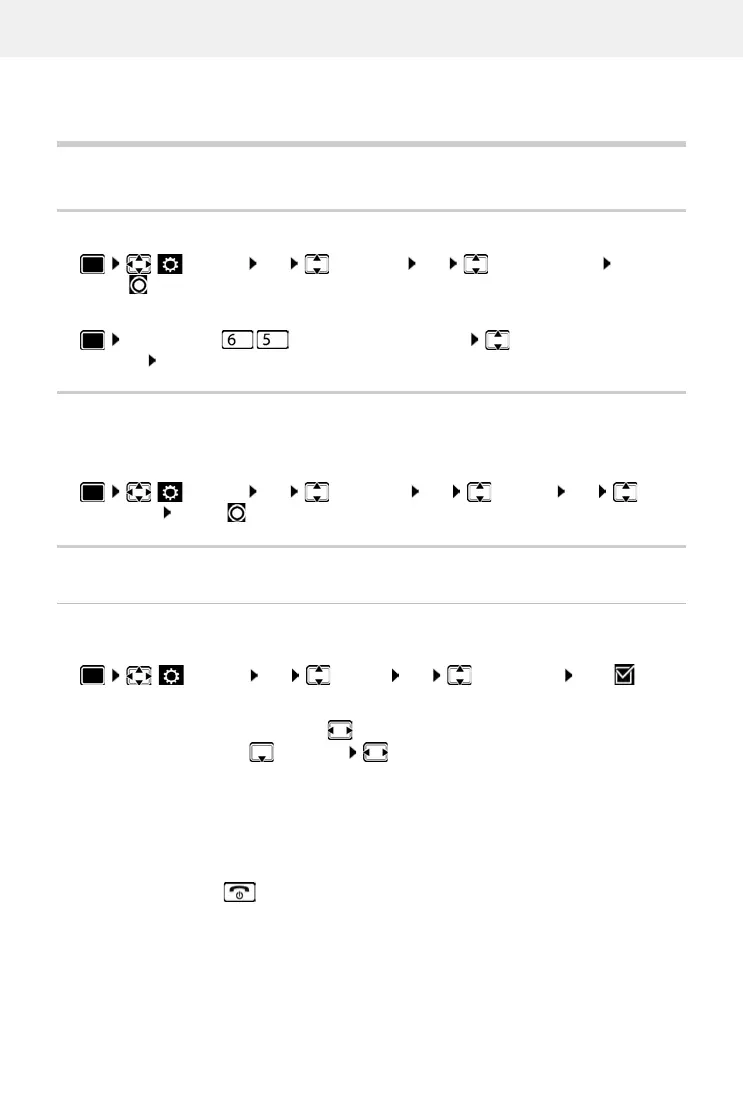
Settings OK Language OK select language
Select ( = selected)
Press the keys slowly one after the other select the correct
language press the right display key
Settings OK Tel ep hony OK Country OK select
the country Select ( = selected)
Settings OK Display OK Screensaver Edit ( = on)
. . . then
Switch on/off: Activation: select On or Off
Select screensaver:
Selection select a screensaver
(Digital Clock / Analog Clock)
View screensaver:
View
Save selection:
Save



 To Next Page