COMFORT 550 / 550A / LUG_Kombi IM-Nord en / A31008-M3001-R201-1-SM19 / settings_HS.fm / 4/11/22
Template Module, Version 2.1, 11.08.2020 / Template Basiseinstellungen: Version 3.1 - 07.07.2020
Handset
61
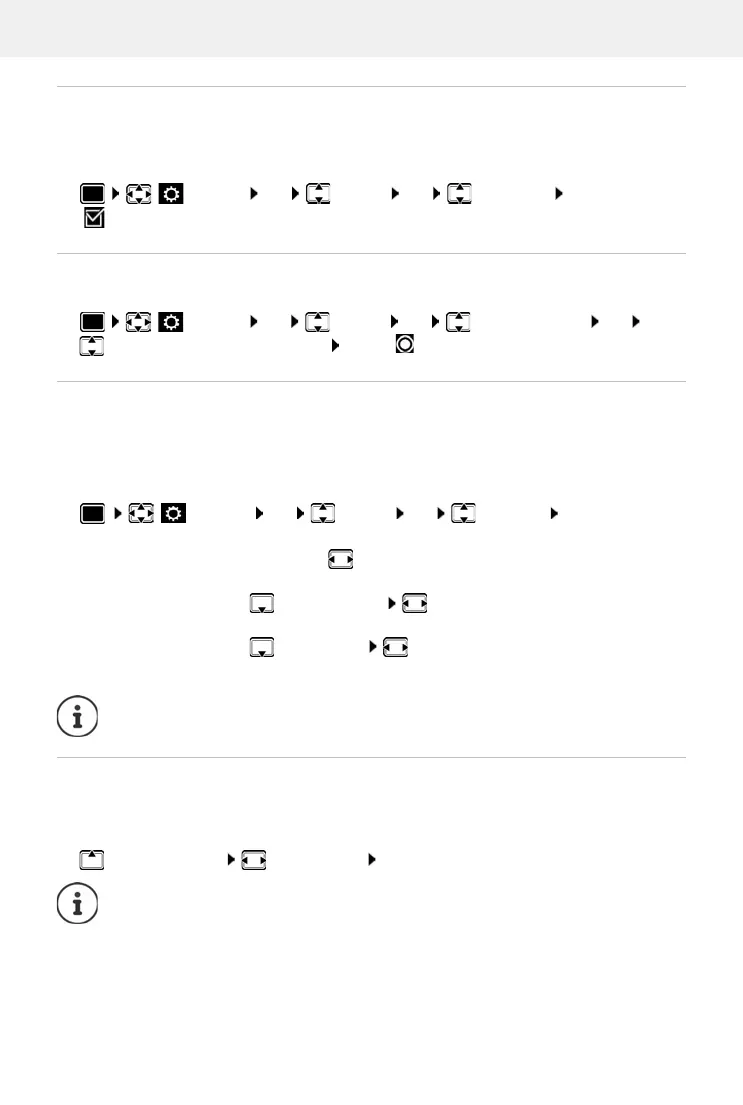
Large font
Show text and icons in call lists and in the directory in a larger size in order to improve legibility.
Only one entry is shown in the display and names are abbreviated if necessary. The number is
displayed in large font when it is dialled.
Settings OK Display OK Large Font Change
( = activated)
Colour scheme
You can choose from a range of colour combinations for the display.
Settings OK Display OK Colour Schemes OK
select the desired colo
ur scheme Select ( = selected)
Display backlight
The display backlight always illuminates when the handset is taken out of the base station/
charging cradle or when a key is pressed. Any digit keys that are pressed appear on the display
for pre-dialling.
Switch the display backlight on/off when in idle status:
Settings OK Display OK Backlight OK . . . then
Changing the earpiece and handsfree volume
You can set the volume of the earpiece and speaker at 5 levels independently of each other.
During a conversation
Handset Volume select volume Save . . . the setting is saved
Backlight when in the charging cradle:
In Charger: select On or Off
Backlight when not in the charging cradle:
Out of Charger select On or Off
Backlight during a call:
In Talk State select On or Off
Save selection:
Save
The handset's standby time may be significantly r
educed if the display backlight is
switched on.
Without saving, the setting is automatically saved after around 3 seconds.



 To Next Page