COMFORT 550 / 550A / LUG_Kombi IM-Nord en / A31008-M3001-R201-1-SM19 / extending.fm / 4/11/22
Template Module, Version 2.1, 11.08.2020 / Template Basiseinstellungen: Version 3.1 - 07.07.2020
Operation with a PABX
59
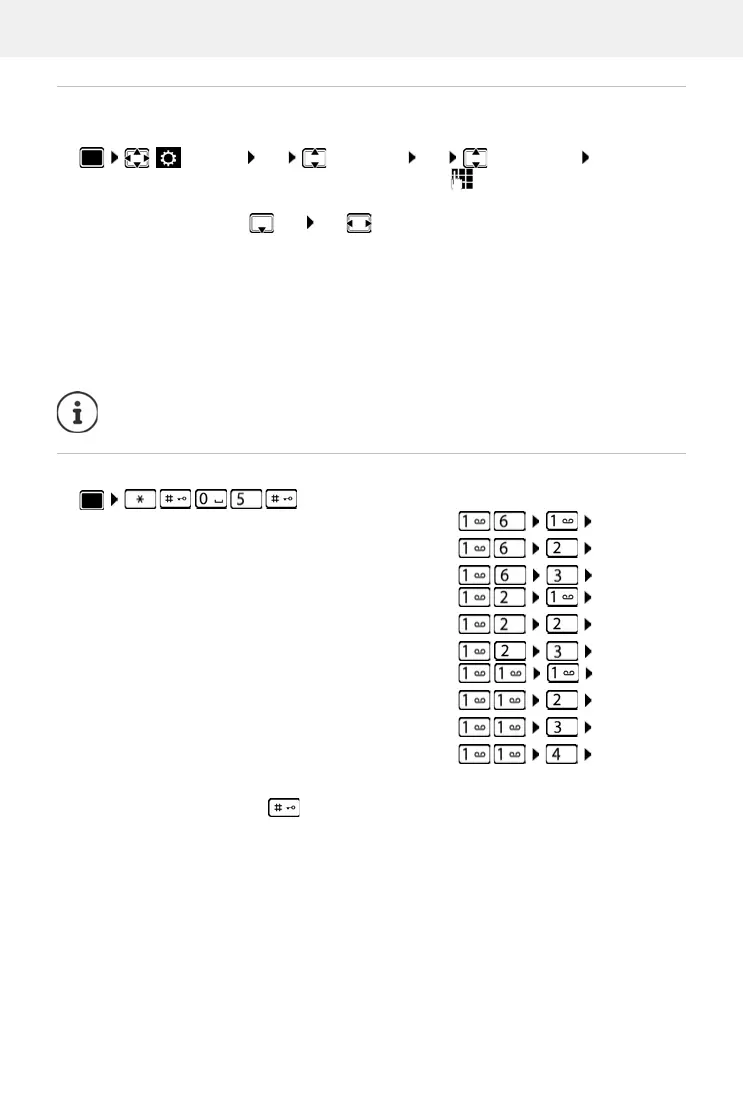
Saving an access code (outside line code)
Setting the access code (e.g. "0") for dialling using the fixed line network.
Setting pauses
To enter dialling pause when dialling
Press and hold the hash key . . . a P appears in the display.
Settings OK Te le ph ony OK Access Code OK . . . then
Fixed line network:
Access external line with: use to enter or change access code,
max. 3 digits
Rule:
For use to select when the access code should be
dialled
Call Lists: The access code will only prefix numbers from a list (list
of answered calls, list of missed calls, SMS list, answer machine list).
All calls: The access code prefixes all numbers dialled.
Off: The access code is deactivated and does not prefix any
telephone number.
Save:
Save
The access code never prefixes any SMS service centre numbers.
. . . then
Pause after line seizure: 1 sec
3 secs
7 secs
OK
OK
OK
Pause after Recall key: 800 ms
1600 ms
3200 ms
OK
OK
OK
Dialling pause (pause after access code): 1 sec
2 secs
3 secs
6 secs
OK
OK
OK
OK



 To Next Page