Template Module, Version 2.1, 11.08.2020 / Template Basiseinstellungen: Version 3.1 - 07.07.2020
Baby monitor
COMFORT 550 / 550A / LUG_Kombi IM-Nord en / A31008-M3001-R201-1-SM19 / applications_1.fm / 4/11/22
46
If you accept an incoming call, the baby monitor mode is suspended for the duration of the call,
but the function remains activated. The baby monitor mode is not deactivated by switching the
handset off and on again.
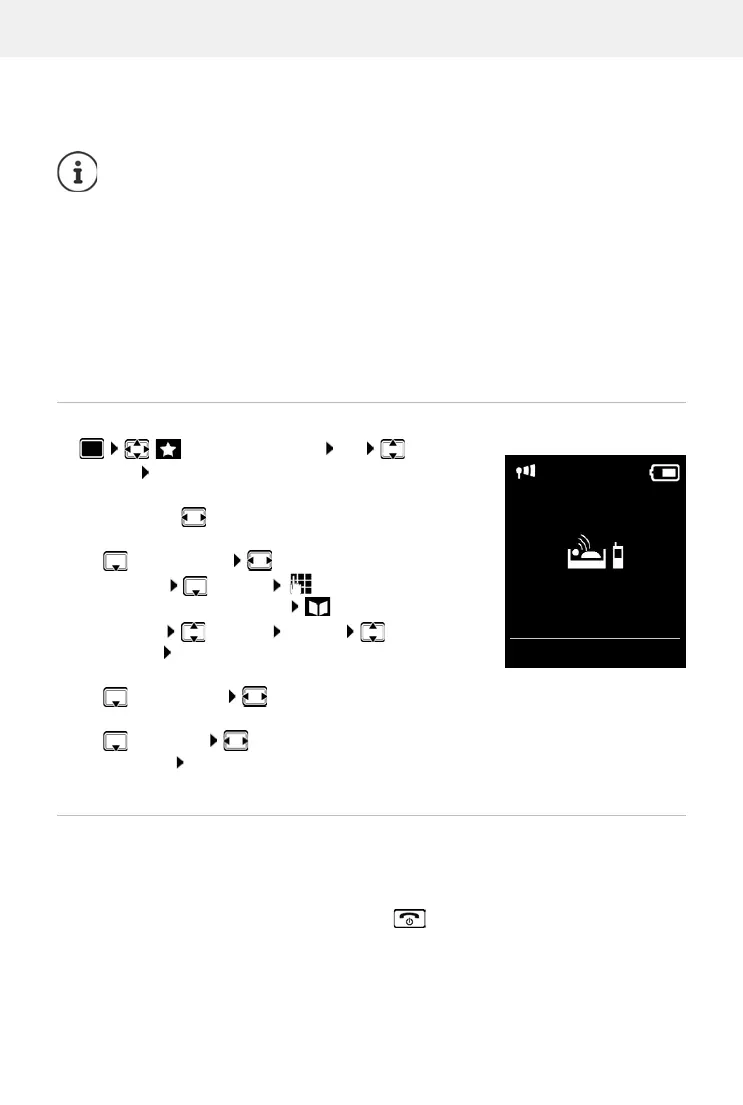
Activating and setting the baby monitor
The destination number is displayed in idle display when the baby monitor is activated.
Deactivate baby monitor / Cancel alarm
The handset should be positioned 1 to 2 metres away from the baby. The microphone
must point towards the baby.
Activating the function reduces the operating time of your handset. For that reason,
place the handset in the charging cradle if necessary.
The baby monitor is activated 20 seconds after switching on.
The microphone of the handsfree device is always used, even if a headset is connected.
The answer machine for the destination number must be switched off.
After switching on:
Test sensitivity.
Test the connection, if the alarm is being forwarded to an external number.
Additional Features OK Baby
Monitor OK . . . then
Switch on/off:
Activation: select On or Off
Enter destination:
Send alarm to select External or Internal
External: Number select number or select a
number from the directory:
Internal: Handset Change select the
handset OK
Activate/deactivate two-way talk:
Two Way Talk select On or Off
Set microphone sensitivity:
Sensitivity select High or Low
Save settings: Save
Deactivate the baby monitor:
In idle status press the display key OFF
Cancel the alarm:
Press the End call key during an alarm
07:15
INT 1
14 Oct
Baby Monitor
0891234567
OFF Options
Baby Monitor activated



 To Next Page