COMFORT 550 / 550A / LUG_Kombi IM-Nord en / A31008-M3001-R201-1-SM19 / directory.fm / 4/11/22
Template Module, Version 2.1, 11.08.2020 / Template Basiseinstellungen: Version 3.1 - 07.07.2020
Directory
31
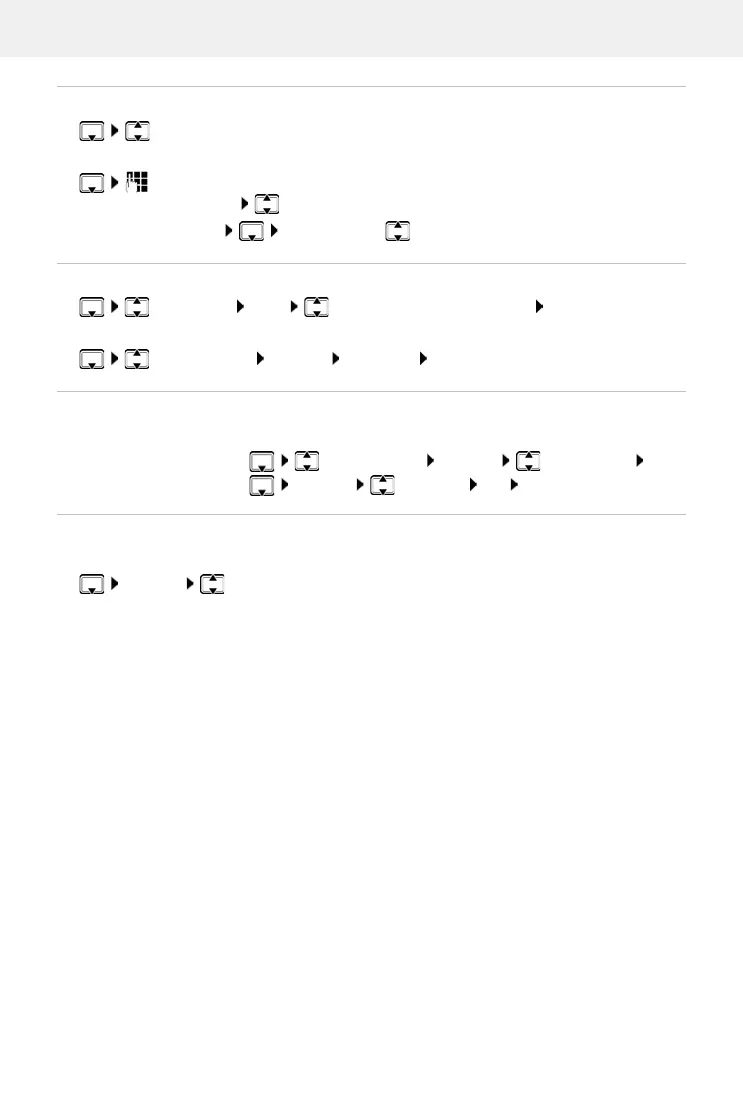
Searching for/selecting a directory entry
browse searched names
or
enter initial letters (max. 8 letters) . . . the display jumps to the first name starting
with these initial letters continue browsing to the desired entry, if needed
Scroll through directory: Press and ho
ld
Displaying/changing an entry
select entry View select the field to be changed Edit
or
select an entry Options Edit entry OK
Deleting entries
Setting the order of the directory entries
Directory entries can be sorted by first name or surname.
Options Sort by Surname / Sort by First Name
If no name was entered, the default telephone number is shown in the surname field. These
en
tries appear at the beginning of the list, regardless of how the entries are sorted.
The sort order is as follows:
Space | Digits (0-9) | Letters (alphabetically) | Other characters.
Delete the sel
ected entry:
select an entry Options Delete entry OK
Delete all entries:
Options Delete all OK Ye s



 To Next Page