COMFORT 550 / 550A / LUG_Kombi IM-Nord en / A31008-M3001-R201-1-SM19 / applications_2.fm / 4/11/22
Template Module, Version 2.1, 11.08.2020 / Template Basiseinstellungen: Version 3.1 - 07.07.2020
SMS (text messages)
53
Receiving an SMS
Incoming SMS messages are saved in the incoming message list, linked SMS messages are
generally displayed as one SMS.
SMS message list
The incoming SMS message list contains all the received SMS messages and those SMS
messages that could not be sent due to an error.
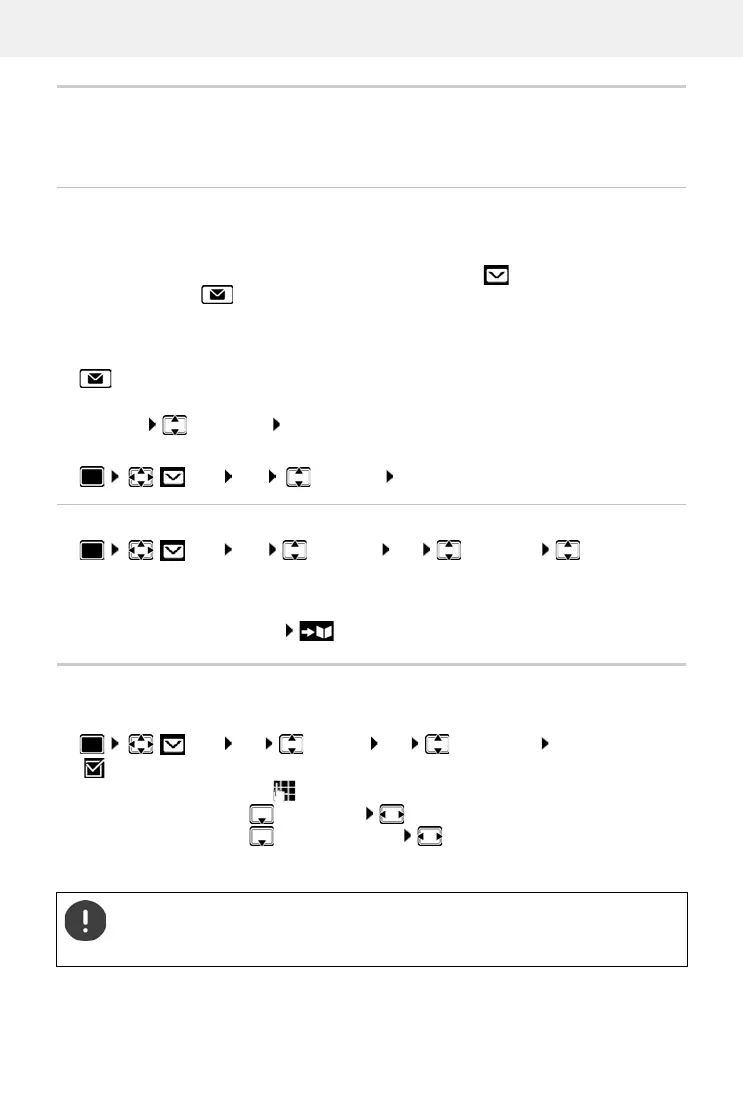
New SMS messages are indicated on all Gigaset handsets by the icon on the display, the
flashing Message key and an advisory tone.
Open the SMS message list
With the Message key:
. . . The message list is opened (number of available SMS texts, bold = new entries, not
bold = re
ad entries)
Open list: select SM
S: OK
Reading and managing SMS messages
Saving numbers from SMS text to the directory
If a telephone number in the SMS text is recognised, it is automatically highlighted.
Save the number in the directory:
SMS notification
Receive notifications of missed calls and/or new messages on the answer machine.
Via the SMS menu:
SMS OK Incoming OK
SMS OK Incoming OK select SMS Read
SMS OK Settings OK Notification Change
( = activated) . . . then
Enter number:
To: enter the number to which the SMS should be sent
Missed calls:
Missed calls select On or Off
Answer machine:
For AM messages select On or Off
(only for a system with a local answer machine)
Save settings:
Save
Do not enter your own fixed line network number for notification of missed calls. This
can create an endless loop that will incur charges.
SMS notification may incur additional costs.



 To Next Page