COMFORT 550 / 550A / LUG_Kombi IM-Nord en / A31008-M3001-R201-1-SM19 / settings_HS.fm / 4/11/22
Template Module, Version 2.1, 11.08.2020 / Template Basiseinstellungen: Version 3.1 - 07.07.2020
Handset
63
Switching the ringtone off for the current call
Press Silent or the End call key
Switching the alert tone (beep) on/off
Switch on an alert tone (beep) instead of the ringtone:
Press and hold the star key Press Beep within 3 seconds . . . the following icon
appears in the status bar
Switching off the alert tone: Pr
ess and hold the star key
Switching advisory tones on/off
The handset notifies acoustically about different activities and statuses. These advisory tones
can be switched on/off independently of each other.
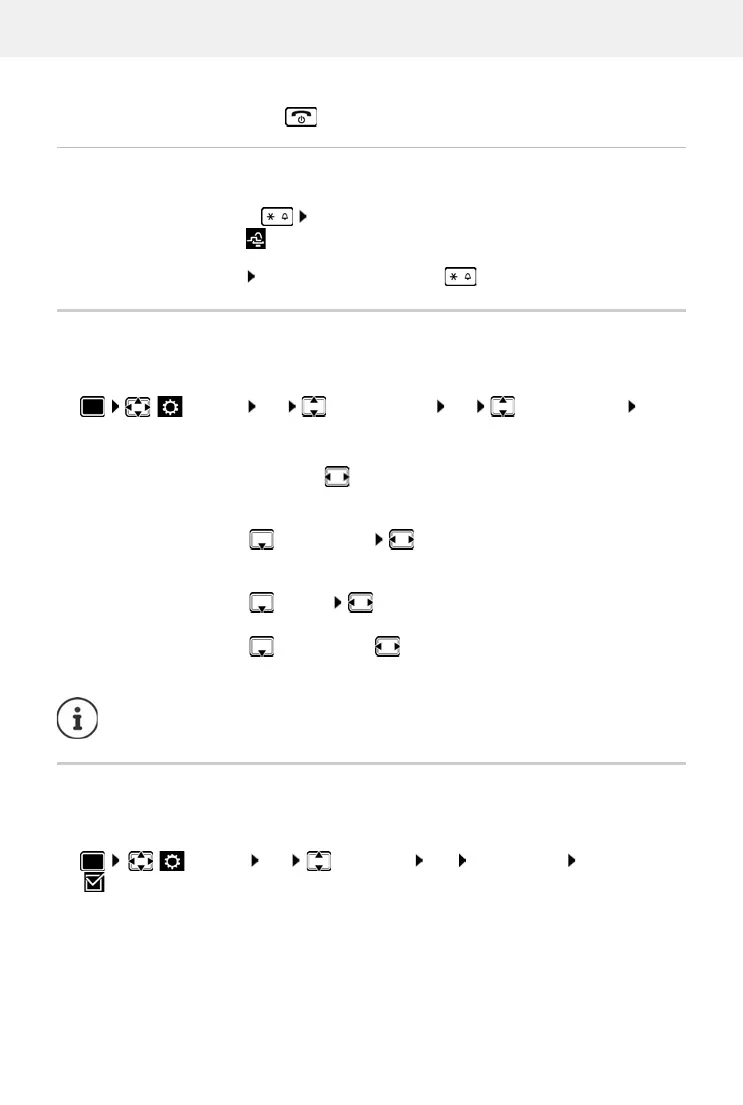
Settings OK Audio Settings OK Advisory Tones OK . . .
then
Auto answer
When Auto answer is enabled, the handset accepts an incoming call as soon as it is removed
from the charging cradle.
Regardless of the Auto Answer setting, the connection ends as soon as you place the handset
back in the charging cradle.
Tone when keys are pressed:
Key Tones: select On or Off
Confirmation/error tone after making entries, advisory tone when a new message has been
re
ceived:
Confirmation select On or Off
Warning tone when there are fewer than 10 minutes of talktime remaining
(e
very 60 seconds):
Battery select On or Off
Warning tone when the handset is moved out of range of the base station:
Out of Range: select On or Off
Save settings:
Save
There is no battery warning when the baby monitor is switched on.
Settings OK Telephony OK Auto Answer Change
( = activated)



 To Next Page