2
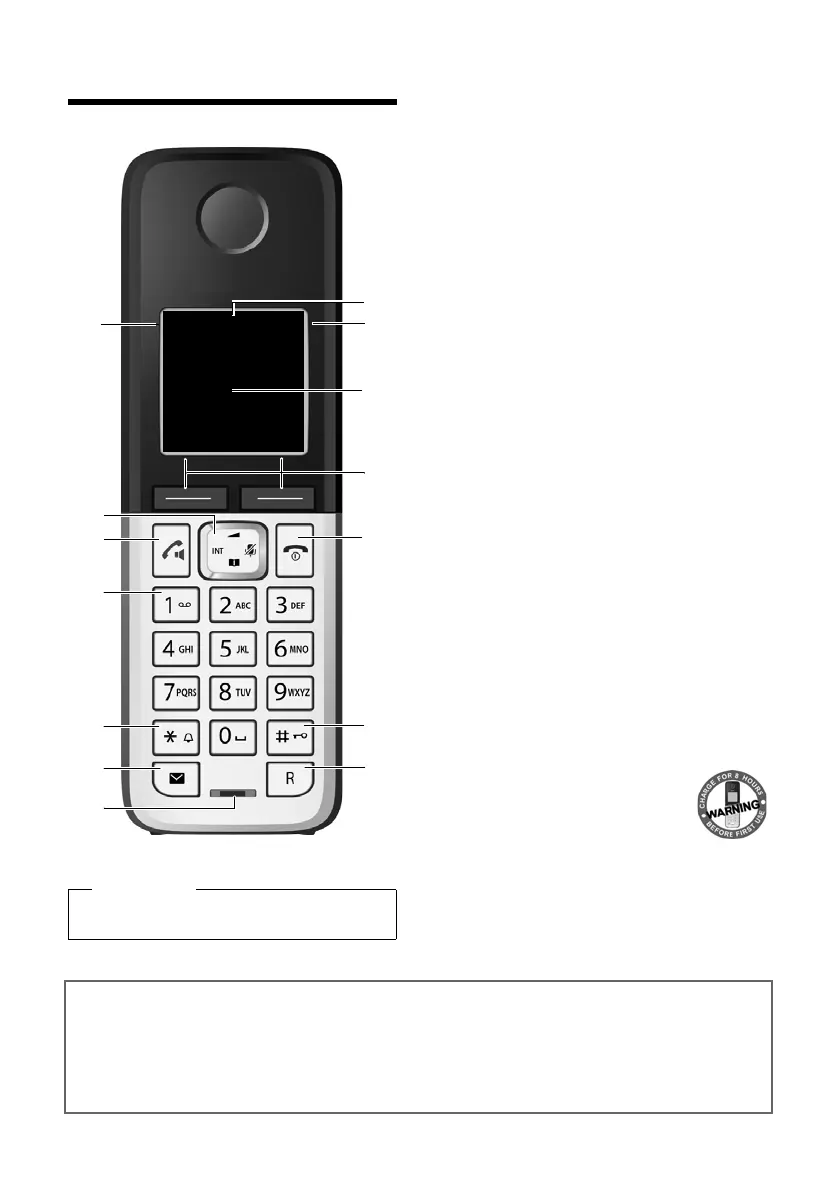
Overview
Gigaset C300-C300A/CS310-CS310A / GBR / A31008-M2223-L101-4-7619 / overview.fm / 13.09.2012
Version 4, 16.09.2005
Overview
1 Signal strength (¢ page 16)
Colour / Symbol changes when Eco Mode / Eco
Mode+ is activated (¢ page 45)
2 Control key (¢ page 18)
Mute microphone (¢ page 27)
3 Talk/Handsfree key
Flashes: incoming call;
Lights up: handsfree mode activated;
accept call; open redial list (press briefly);
start dialling (press and hold);
During a call: switch between earpiece and
handsfree mode (¢ page 27)
4 Key 1
Dial answering machine (C300A/CS310A)/
Network mailbox (press and hold)
5 Star key
Activate/deactivate ringer (press and hold);
With an open connection: switch between
pulse dialling/tone dialling (press briefly)
6 Message key (¢ page 31)
Access to call and message lists;
Flashes: new message or new call
7 Microphone
8 Recall key
- Recall
- Insert a dialling pause (press and hold)
9 Hash key
Keypad lock on/off (press and hold in
idle status);
Toggles between upper/lower case and digits
10 End call key, On/Off key
End call; cancel function; go back one menu
level (press briefly); back to idle status (press
and hold); activate/deactivate handset (press
and hold in idle status)
11 Display keys (¢ page 4)
12 Display in idle status
13 Battery charge status
(¢ page 16)
14 Answering machine icon
(C300A/CS310A only)
Answering machine
switched on;
Flashes: answering machine is
recording a message or is being operated
by another internal party
Please note
To change the display language, proceed as
described on page 49.
13
11
9
10
8
2
7
3
1
4
5
Ð
Ã
U
10:53
23.04.10
INT
Redial Menu
6
12
Gigaset service contact numbers:
For personal advice on our range of products and for repairs or guarantee/warranty claims call:
Service Centre UK: 08453 6708 12
(local call cost charge)



 To Next Page