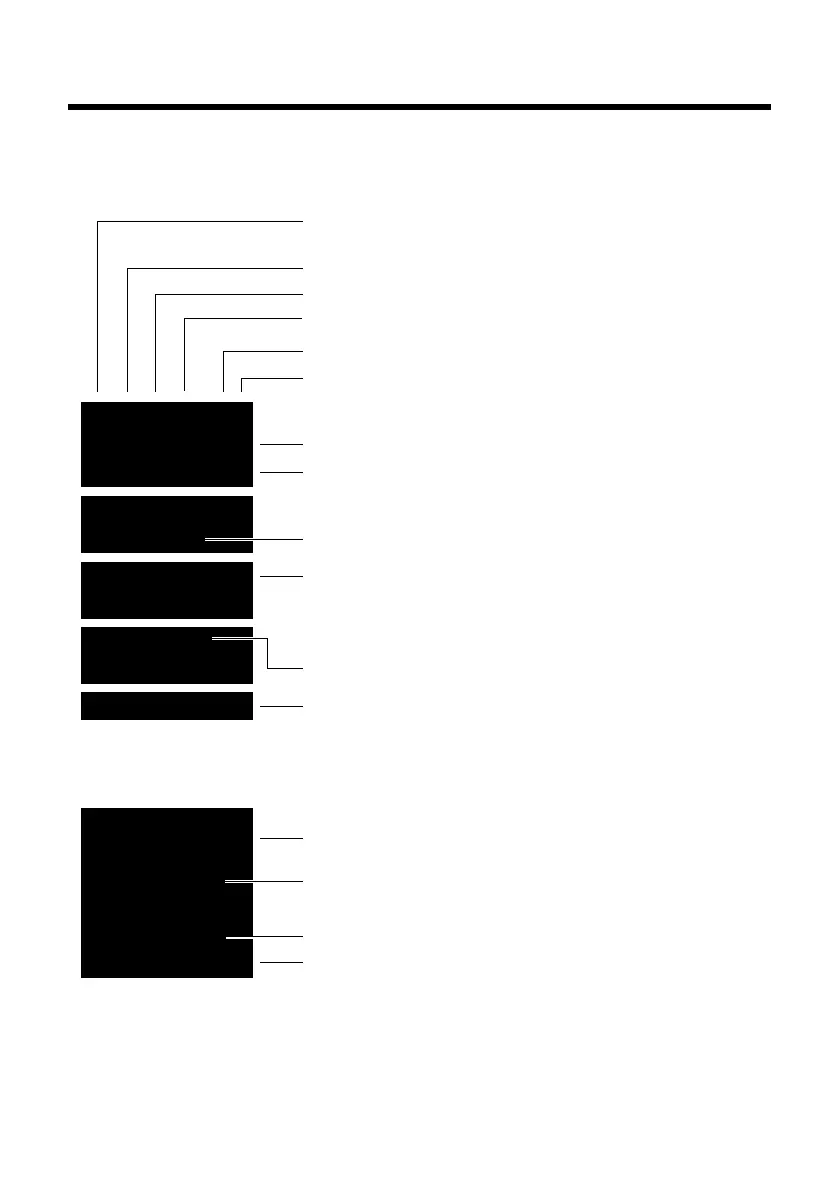
The following symbols are displayed dependent on the settings and the operating status of
INT 1
à ™ Ë
7 11 5
Redial Menu
¼ 06:30
INT 1
Ð
º ó
à U
10:53
23.04.10
W
1234567890
00:03:11
Menu
Battery charging (¢ page 16)
Battery charge status (¢ page 16)
Current time (¢ page 15)
Current day, month and year (¢ page 15)
Name of the handset (¢ page 49)
Number of new messages:
u à on the network mailbox / answ. mach. (¢ page 31)
u ™ in the missed calls list (¢ page 31)
u Ë in the SMS list (¢ page 35)
Alarm switched on and wake up time set (¢ page 46)
Display keys (¢ page 4)
Signal strength i (¢ page 16)
or Eco Mode+ icon ¼(¢ page 45)
Keypad locked (¢ page 20)
Ringer switched off (¢ page 51)
Answering machine activated (C300A/CS310A only)
Connection established
Number (or name) of caller (¢ page 26)
Call duration
Display key (¢ page 4)
u Two-way recording on answering machine (¢ page 41)
u Set call volume (¢ page 50)
u Access service information
Display during external call:



 To Next Page