Template Module, Version 2.1, 11.08.2020 / Template Basiseinstellungen: Version X,X - xx.xx.xxxx
Using the device
Gigaset GL7 / LUG IE-UK_INT en / A31008-N1199-L101-1-7619 / operating.fm / 7/4/22
18
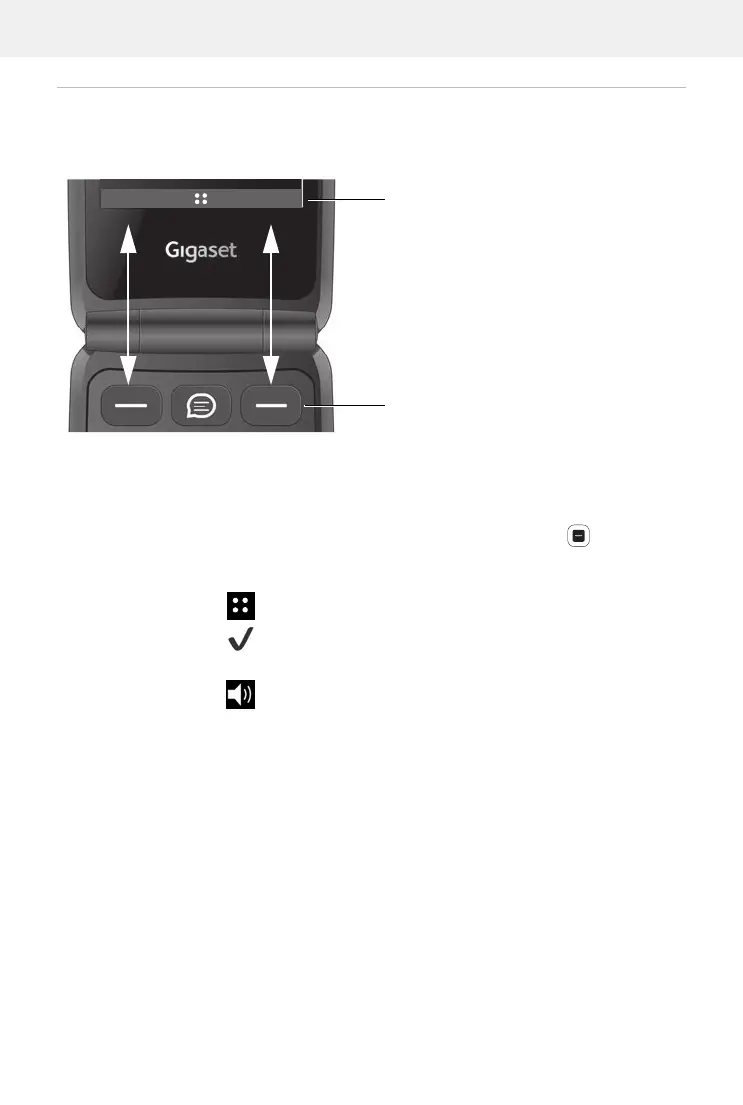
Display keys and functions
The display keys perform different functions depending on operating situa-
tion.
Press the display key to call the function shown in the display above.
In some scenarios, a display function is also shown in the middle of the
display.
Enable display function:
Press the control key in the middle
Examples:
Idle display:
Opening menu
In the main menu: Confirm a selection (OK)
When dialling: CALL Initiating a call
During a call: Enable the speaker
Current display functions
Display keys
Notices
Contacts



 To Next Page