6.1 Timer Mode - Countdown Timer
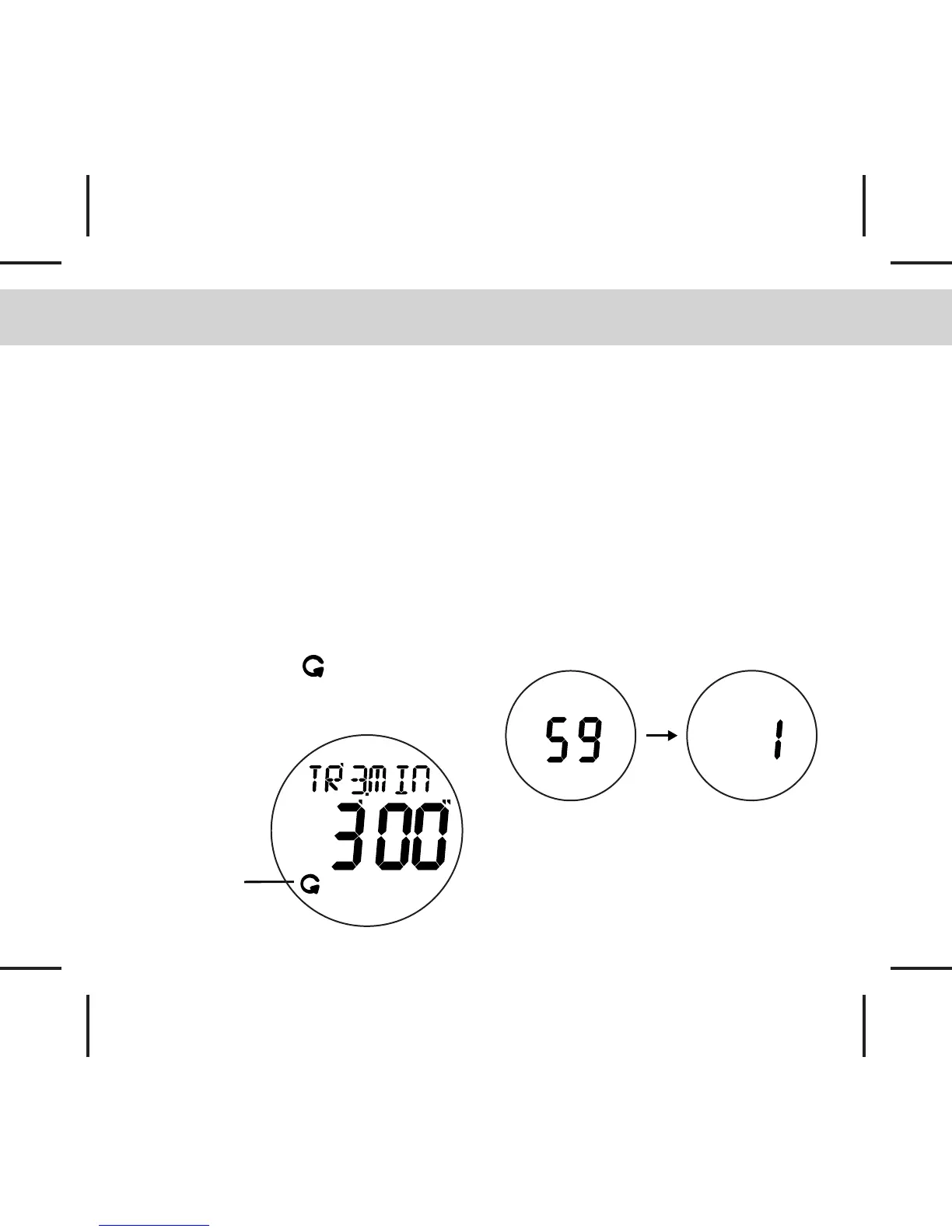
Repeat on icon
Synchronization Function
- When the Countdown Timer is running,
press the [S/L/R] button to round off the
counting time.
- If the timer is in a “SYNC Down” status, the
timer will round down to the next full minute.
- If the timer is in a “SYNC Round” status, the
timer will round down or up to the closest
minute.
Repeat Function
- In Timer Mode, press and hold the [M]
button for about 2s to toggle the repeat
function ON/OFF.
- When the Repeat icon appears, the timer
will repeat counting the pre-set values.
Alert Indications
- The watch will beep once at each minute.
- The watch will beep once at 50, 40, 30 &
20 seconds for the last minute of
countdown, and it will beep once at each
second for the last 10 seconds
- Long beep for 3 seconds when it reaches
zero.
- The watch will keep silence when the Alert
option has been set to OFF.
- For 5.4.1.0 sequence, two beeps will be
heard at minutes 4 and 1.
Countdown display from the
last 59 seconds to 1 second.


 To Next Page