5.0 Daily Alarm Mode
[S]
[L]
[M]
[S/L/S]
[S/R]
To select the Alarm and Chime
ON/OFF
- In the Real Time Mode, press and hold the
[S] button for about 2s can enter to the
time setting, then press the [M] button to
scroll through the setting items. When the
Chime option appears, press the [S/L/S]
or [S/R] buttons to toggle the Chime
ON/OFF.
- When the chime indicator appears, the
chime is ON. The watch will beep once
every hour.
- In Alarm Mode, press the [S/R] button to
set the alarm ON/OFF.
- When the alarm indicator appears, the
alarm is ON. The watch will beep for about
30s at the alarm time.
- The alarm sound can be stopped
prematurely by pressing any key.
To test the Alarm sound
- Press and hold the [S/L/S] button to test
the alarm sound.
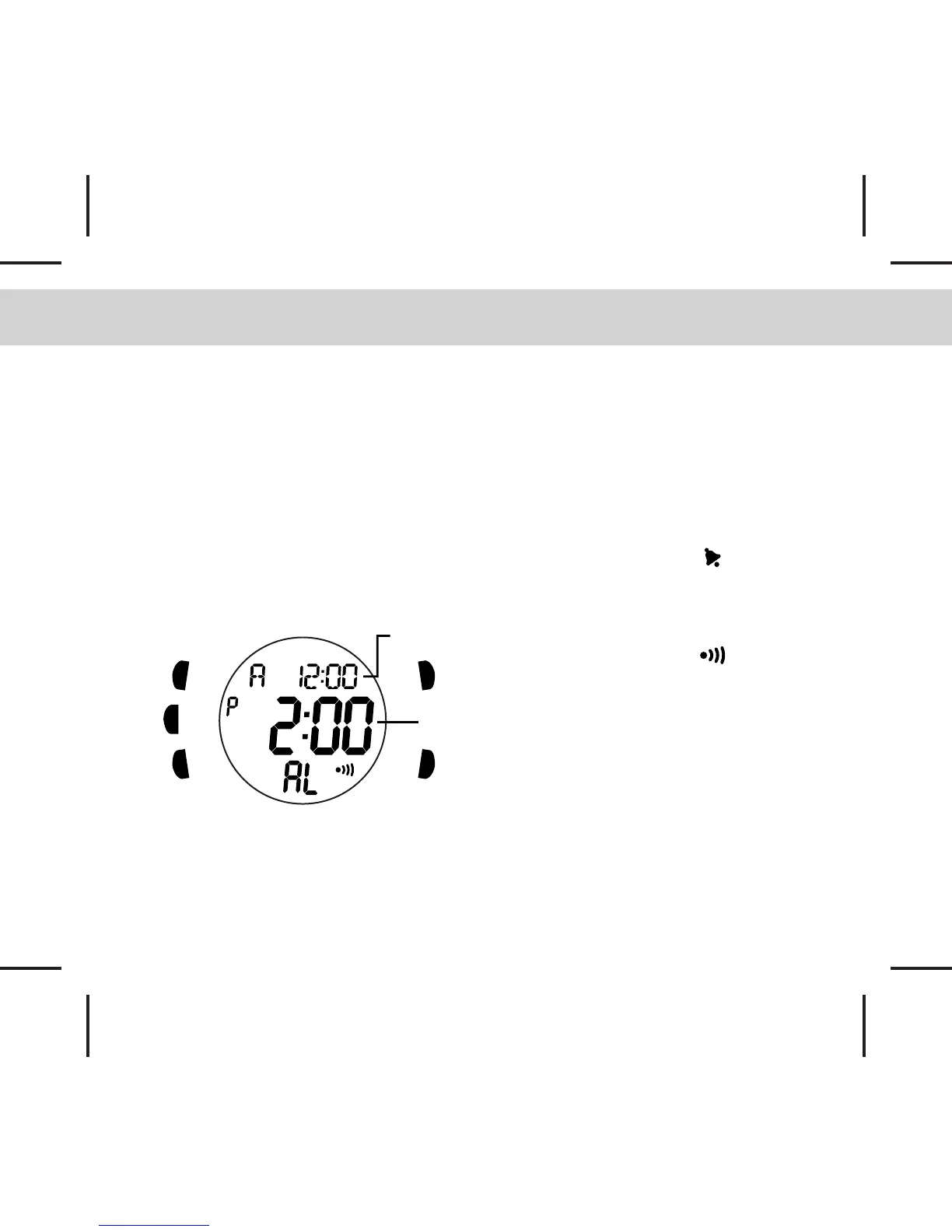
Alarm
time
Daily Alarm Mode
- In the Real Time Mode, press the [M]
button to enter Daily Alarm Mode
- The alarm time (hour, minute) is shown on
the middle row of the display.
- The real time (hour, minute) is shown on
the upper row of the display.
- The alarm will sound at the alarm time
every day when the alarm is ON.
Real
time



 To Next Page