36
If select “ON”, when SpO2 value or/and PR value exceeds its/their preset limits
during measurement, the oximeter will beep and vibrate, and the numerical val-
ue exceeded limit will ash.
• Sensor alert: enable/disable the alert function. The factory default is “OFF”.
If select “ON”, when probe off and/or nger out, the oximeter will beep and
vibrate, then pressing any key will mute it and stop vibrating.
Operation Instructions:
• Short press “p” shift cursor circularly;
• Short press “¢” active the option;
• Short press “p” key: increase numerical value one time;
• Long press “p” key: increase numerical values continuously;
• Short press “¢” key: conrm the selection;
• Long press “¢” key: go back to the menu screen;
3.2.4 Time Settings
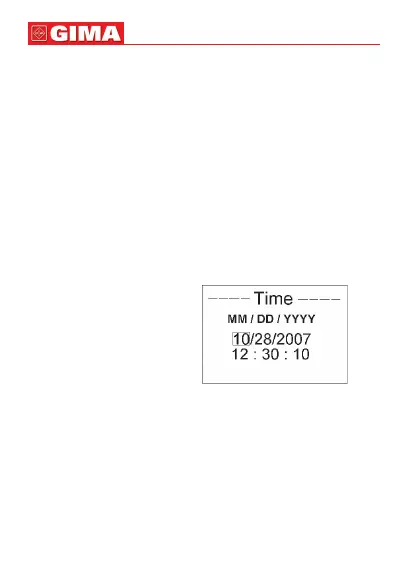
On menu screen, select “Time” and press “¢” key to enter Time Settings
screen, as shown in Figure 16.
Figure 16 Date and Time Settings
• Date format: MM/DD/YYYY;
• Time format: hh:mm:ss;
Operation Instructions:
• Short press “p” key: shift cursor circularly;
• Short press “¢” key: active the option;
• Short press “p” key: increase numerical value one time;
• Long press “p” key: increase numerical value continuously;
• Short press “¢” key: conrm the modication;
• Long press “¢” key: go back to the menu screen;
ENGLISH



 To Next Page