EasyManua.ls Logo

Ginlong S5 Series - User Manual

Ginlong S5 Series
32 pages
Print Icon
To Next Page IconTo Next Page
Loading...
Installation and Operation Manual
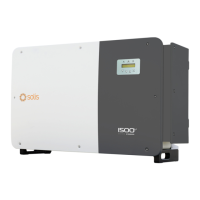
Solis S5 Three Phase Inverter
S5-GC(25-50)K
Ginlong Technologies Co., Ltd.
No. 57 Jintong Road, Binhai Industrial Park, Xiangshan, Ningbo,
Zhejiang, 315712, P.R.China.
Tel: +86 (0)574 6578 1806
Fax: +86 (0)574 6578 1606
If you encounter any problem on the inverter, please find out the inverter S/N
and contact us, we will try to respond to your question ASAP.
Please adhere to the actual products in case of any discrepancies in this user manual.
Ver1.2

Questions and Answers

  • N
    Nicholas LeeSep 2, 2025
    What to do if Ginlong S5 Inverter screen is off with DC applied?
    • J
      Jeremy WolfSep 2, 2025
      To address the 'Screen OFF with DC applied' issue on your Ginlong Inverter: 1. Avoid turning off the DC switches, as this can damage the inverter. 2. Wait for solar irradiance to decrease, then confirm the string current is below 0.5A using a clip-on ammeter before turning off the DC switches. 3. Be aware that damages resulting from incorrect procedures are not covered under the device warranty.
  • R
    robert00Aug 31, 2025
    How to resolve UN-G-V01/02 error on Ginlong Inverter?
    • A
      Amanda KimAug 31, 2025
      If your Ginlong Inverter displays 'UN-G-V01/02', use the user define function to adjust the protection limit if it’s allowed by the electrical company.
  • H
    Heather LopezAug 29, 2025
    What does ILeak-PRO 01/02/03/04 mean on Ginlong Inverter?
    • D
      Deborah TrevinoAug 29, 2025
      If your Ginlong Inverter displays 'ILeak-PRO 01/02/03/04', check both the AC and DC connections. Also, inspect the cable connections inside the inverter.
  • T
    Tony MartinezAug 27, 2025
    How to fix PV ISO-PRO 01/02 error on Ginlong S5?
    • S
      Samantha MorganAug 28, 2025
      If your Ginlong Inverter displays 'PV ISO-PRO 01/02', remove all DC input, reconnect, and restart the inverter one by one. Determine which string is causing the fault and then check the isolation of that specific string.
  • S
    susan88Aug 26, 2025
    Why does my Ginlong Inverter LCD show initializing all the time?
    • B
      blackwelljacobAug 26, 2025
      If your Ginlong Inverter's LCD screen is always initializing, check if the connectors on the main board or power board are securely fixed. Also, check if the DSP connector to the power board is properly connected.
  • P
    Paul LewisAug 25, 2025
    What causes OV-G-V01/02/03/04 error on Ginlong Inverter?
    • A
      Amy CamposAug 25, 2025
      If your Ginlong Inverter displays 'OV-G-V01/02/03/04', the resistance of the AC cable might be too high; consider changing to a grid cable of bigger size. If permitted by your electrical company, you can also adjust the protection limit.
  • D
    Derrick ChurchAug 22, 2025
    Why is my Ginlong Inverter showing OV-TEM?
    • J
      Joshua FieldsAug 22, 2025
      If your Ginlong Inverter displays 'OV-TEM', begin by checking the ventilation around the inverter. Also, verify whether direct sunlight is impacting the inverter, especially during hot weather.

Ginlong S5 Series Specifications

General IconGeneral
BrandGinlong
ModelS5 Series
CategoryInverter
LanguageEnglish

Related product manuals