From a telephone: Quick guide: Call the Communicator and Press 1 2 3 4 > 9
1. Call the Communicator (telephone number of the SIM card that has been installed). You will hear a
long “beep” to indicate that the Communicator has answered. The Communicators display will read
“Call In”.
2. Press 1 2 3 4 (4 digit code) followed by the 9 key to open “Listen-In”. To close, simply hang up.
HOW TO RETURN THE COMMUNICATOR TO FACTORY DEFAULT
SETTINGS
(Note: this can only be done when the Communicator is in the OFF mode.)
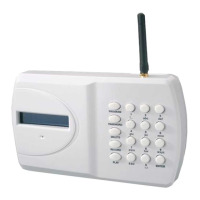
From the Communicator: Quick guide: Press 1 2 3 4 > ESC > ENTER > 1 2 3 4 > ESC > ENTER
1. Ensure the Communicator is in the OFF mode.
2. Press 1 2 3 4 > ESC > ENTER. The display will read “Factory Default” – Press 1 2 3 4 > ESC > ENTER again to
confirm you wish to return to Factory Default Setting.
HOW TO TURN THE OUTPUTS ON AND OFF
The GJD710 has 4 Outputs that can be programmed:
1. User only (default setting) or Event Follower + User . “Event Follower” means Output 1 activates when trigger 1
is activated, Output 2 when trigger 2 is activated, and so on.
2. Whether the output is a 5 second pulsed momentary output or a toggle latching output. “Toggle Latching
Output” means that the output remains ON until a further command turns it OFF again. Note: if the output has
been programmed as a momentary output, a further programming section selects whether it remains On for a
time between 1 and 99 seconds before automatically turning Off.
User Activation of the Outputs
From the Communicator: Quick guide: Press 1 2 3 4 > 0 > 1 (the number of the output).
1. Press 1 2 3 4, followed by 0, followed by the number 1-4, being the number of the output you wish to turn ON
(Output 1 in this example).
2. The Communicator will show “Output 1” on the display.
3. The output will become active for the time which has been programmed (a time of between 1 and 99 seconds if
the output has been programmed as a momentary output or latching On until turned Off if it has been
programmed as a latching output).
4. To turn a Latching output off, Press 1 2 3 4, followed by 0, followed by the number 1-4, being the number of the
output you wish to turn off.
HOW TO INITIATE AN IMMEDIATE TEST CALL OR TEST SMS FROM
THE GSM COMMUNICATOR
If you wish to receive a Test Voice Call, you will first need to record a Test Message. See “How to record the Voice
Messages” on Page 4. If you wish to receive a Test SMS, you will first need to create a Test SMS (see Page 4). The Test Call
or SMS will be sent to those telephone numbers you have selected (default is all numbers will receive a test call). Select
whether you wish numbers to receive a Test Voice Call only, Test SMS only or both Voice Call and SMS (see Page 5). You
can cancel continued dial-out of the immediate Voice Message Test Call in the usual way by pressing * or # on your phone.
Page 11


 To Next Page