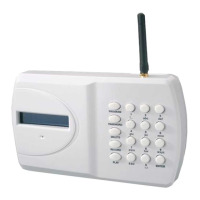
I have connected the Communicator to an Alarm Panel. The panel has activated, but there is no message appearing
on the Communicator’s LCD display and it is not dialling out.
Check the following carefully:
I. Does the Communicator have a 12V supply – either from the panel or via a 500ma 12V mains adaptor?
II. Does the Communicator have a SIM card fitted? The words “On GSM Ready” should be showing in the
display to indicate that a SIM card has been fitted and that a network has been found.
III. Have you fitted your SIM card correctly? The SIM card must be fitted firmly into the holder in the correct
orientation.
IV. Have you made the correct connections to the Trigger 1 and 2 inputs (either switched negative or relay)?
V. Is the Communicator On/Armed? Remember that if you have been programming, then it will have been in
the Off mode and you will have to go back to On/Armed mode again. Enter your 4 digit code + Enter to turn
On/Armed.
VI. Has your SIM card been disabled by the Network Provider? Most Pay-As-You-Go SIM cards will be disabled
after a certain period if they are inactive. Some Network Providers now also require voice usage rather
than text usage to continue activation. Check first whether the Network Provider you are using accepts a
regular text message to continue activation and over what period of time. Then enable a Self-Test Text
Message (see Pages 4 & 6). If your Network Provider requires voice usage only, consider changing Providers
or use a Contract SIM.
The Communicator’s input has been activated correctly and a message has appeared in its display to
indicate this, however, the voice message is not being received by the number it is meant to be dialling.
Check the following carefully:
I. Have you activated the correct Communicator trigger? You may have programmed different
numbers to call out for Trigger 1 and Trigger 2.
II. See Page 4: have you entered the correct telephone number to call and/or entered a wrong digit
by mistake?
III. If you think the Communicator should be dialling a particular number, have you actually de-
selected that number for that trigger by mistake? (see Pages 4 & 5) To check the numbers that
are being dialled in sequence for Trigger 1, press 1234 (code) > Program > 6 > Enter > 1. You
should now see various numbers between 1 and 0 illuminated. If a number is unlit it means it is
not being dialled for Trigger 1. Toggle numbers on/off by pressing that number on the keypad. A
number must be shown if it is being dialled for that trigger.
The Communicator’s input has been activated correctly and a message has appeared in its display to
indicate this, however, it is not then dialling out and an error message is appearing on the LCD display.
Check the following carefully:
I. Have you programmed at least one telephone number to the Communicator? If the
Communicator is showing a “no answer message” in the display it means no telephone number
has been programmed. Press 1234(code)+ESC to exit. Then, go to Page 4 and enter at least one
telephone number as instructed.
II. Have you deleted a telephone number by mistake? See Page 4 - To check whether the 1
st
telephone number you think you have programmed in is in the Communicator’s memory
correctly, Press 1234(code)>Program>3>Enter>1>Enter. You should now see that telephone
number. Press Enter again to Exit programming. If you don’t see a telephone number there,
enter the number again and press Enter to exit. DO NOT PRESS ESC TO EXIT AS THIS WILL DELETE
THAT NUMBER.
III. Have you de-selected a number to be dialled out in sequence for that trigger by mistake? See
Pages 4 & 5 - To check the numbers that are being dialled in sequence for Trigger 1, press
1234(code)>Program>6>Enter>1. You should now see various numbers between 1 and 0
illuminated. If a number is unlit, it means it is not being dialled for Trigger 1. Toggle numbes
on/off by pressing that number on the keyboard. A number must be shown if it is being dialled
for that trigger.
IV. Is the Communicator in a location where it can obtain a good GSM signal? Check the Network
signal strength by pressing ENTER (you can do this whilst the Communicator is both in the ON
and OFF modes). The Communicator should be installed in a location where the signal strength
displayed shows at least 2 or above. Move the Communicator to a different location in the
premises or use an alternative network SIM card.
I can’t cancel the remote dial-out remotely by pressing, on the remote telephone hand-set, either *
(cancel dial out and alarm sound if programmed) or # (cancel dial out only, alarm sound will continue until
time out).
Have you waited until the message has ended? You cannot cancel until it has been played to you at least
once.


 To Next Page