5.1 Normal operation mode
2 3
1
2
3
4
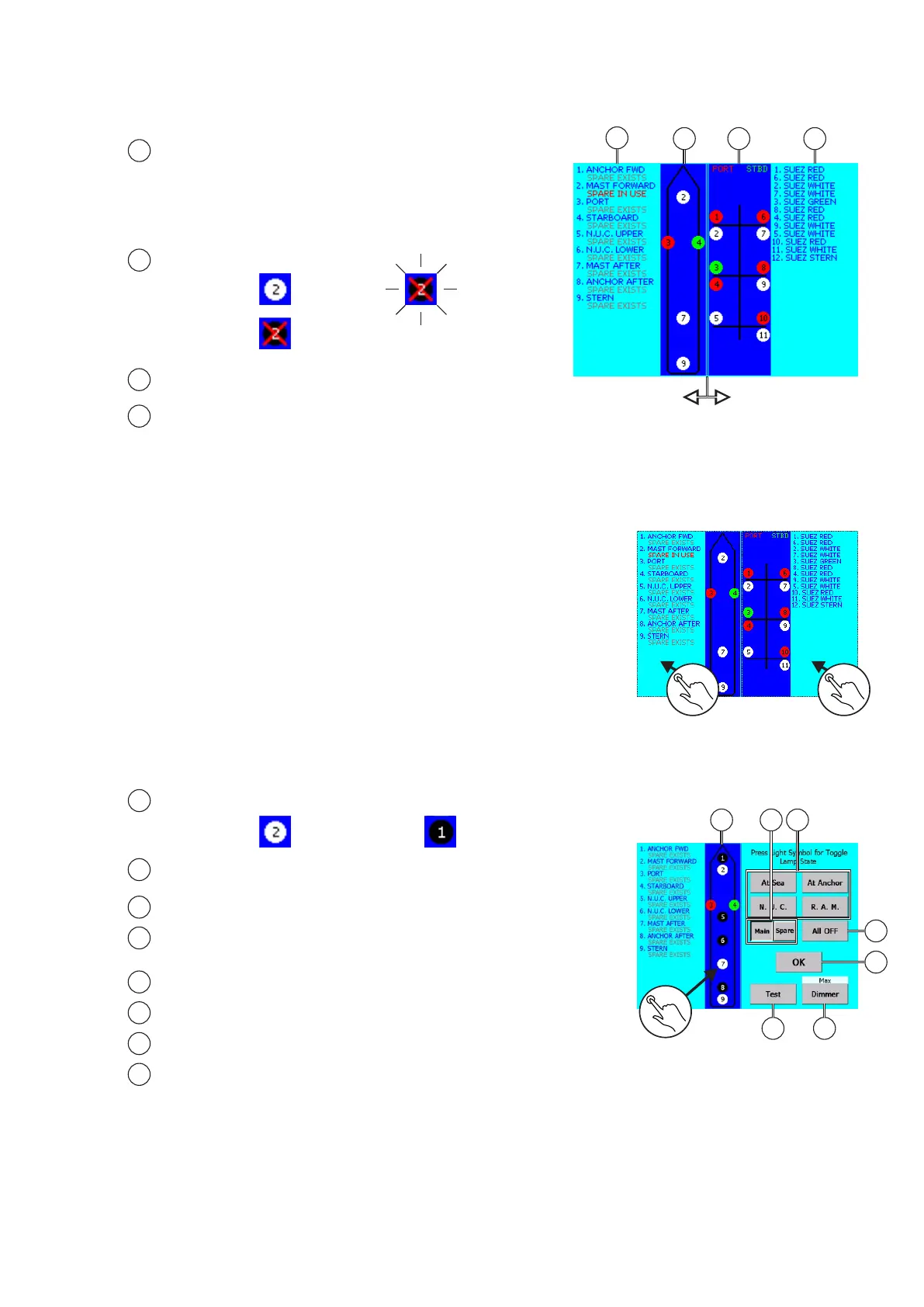
Navigational lights names, number and spare lantern
availability/use
SPARE EXISTS - spare lights is configured
SPARE IN USE - spare light is turned on
Navigational lights status:
Turned on
Failure
Signal ligths names and number
Signal lights status (pls. check no 2.)
Normal operation mode Main screen
1
4
Signal lights
part
Navigation lights
part
Lights control screen
To enter tap on appropriate side:
1. Navigational lights control screen
2. Signal lights control screen
NOTE:
Display backlight is automatically turned off when there is no user activity after period 60s. To turn it on tap on
the screen.
1
1 2
IMPORTANT!!!
If there is no user activity for about 10s, Main screen will come back automatically and the s
.
If the user attempt to turn on the light which is connected to a module that is not registered, the message
screen will be shown and the buzzer will be activated.
chosen lights state
will be updated
Alarm
1 4
6
7 8
3
5
1
3
2
4
5
6
7
8
Navigational lights status:
Turned on
MAIN / SPARE light selection buttons
For turning on/off, tap on appropriate lamp circle icon.
Light group turn on buttons - Tap on to turn on configurated
light group
ALL OFF button - Tap on to turn off all lights
OK button - Tap on to confirm and exit
TEST button
DIMMER button
Turned off
Navigation light control screen
1
2
24


 To Next Page
 Loading...