•Page globalcontract.com 8
• Summer 2017
GLOBALContract
INSTALLATION GUIDELINES
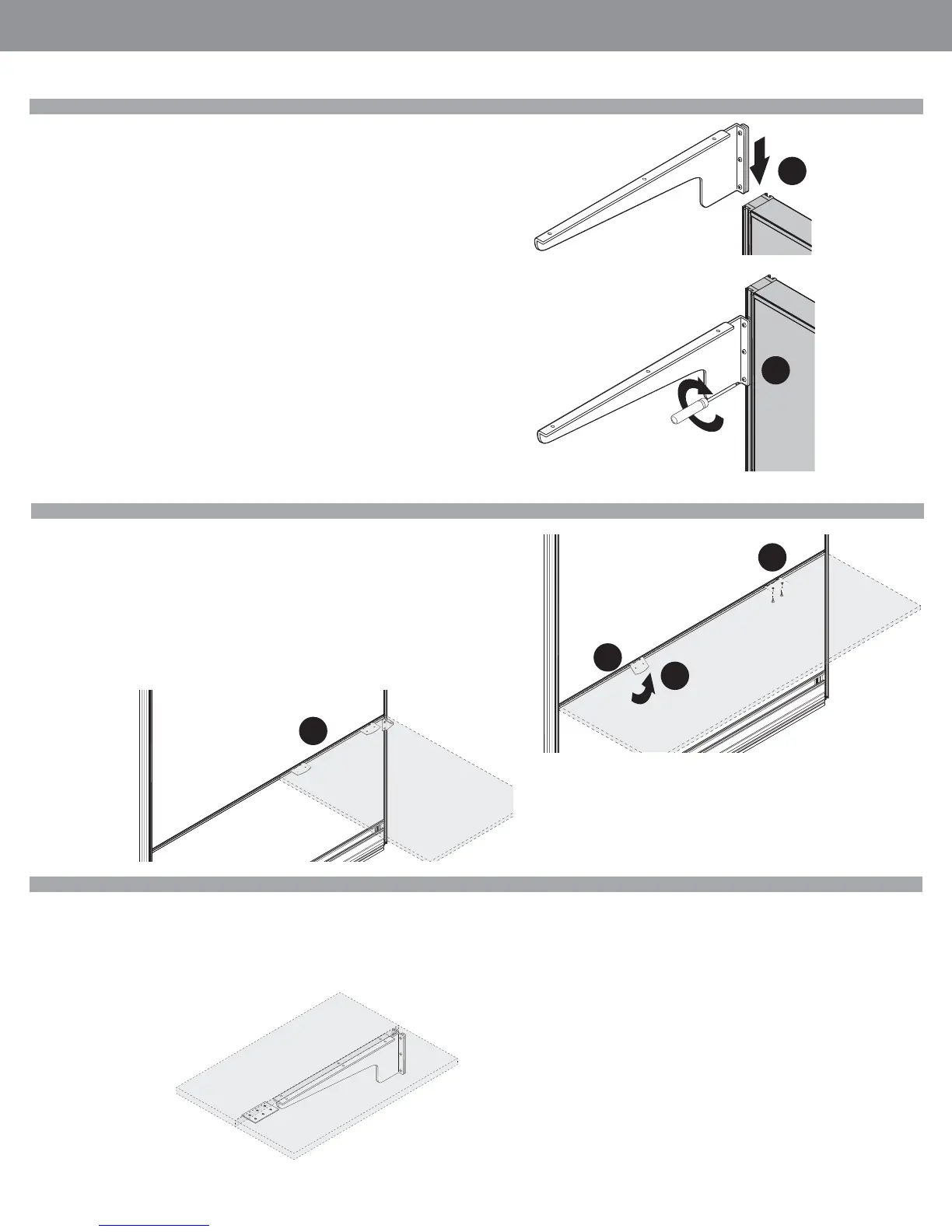
Cantilevers / Corner Brackets
Installation Tip:
• Build from the BOTTOM....UP!
• Slide all Worksurface Supports and Brackets into place...FIRST. Tackboards/Write-
boards /Load Bars, SECOND. Overhead Storage / Shelves, THIRD.
STEP 1: Slide worksurface supports, with connection plate and screws attached,
into groove on side of panel.
STEP 2: Make sure that the screws are fl ush, and do not protrude through the
connection plate.
STEP 3: Securely attach all screws using a #4 ALLEN BIT, or TORX T25 HEAD BIT.
Gauges are provided with every cantilever and corner bracket.
Mid Span Support Brackets (Can ONLY be used with Segmented Panels)
STEP 1: Insert bottom portion of Mid Span Support bracket into segmentation
channel, below worksurface height.
STEP 2: Lift bracket to secure it into segmentation channel.
STEP 3: Secure bracket to worksurface using short wood screws.
STEP 4: Mid Span Support Brackets can be used as additional support for longer
worksurfaces or to create an off-module connection, as shown.
Adjacent Worksurface Mounting
Two Cantilevers, leveled side-by-side with Flat Plate to align front edges of
worksurfaces.
One Corner Bracket, plus (2) Mid-Span Support Brackets (using Segmented
Panels ONLY) to create an off-module worksurface connection.
1
3
1
2
3
4



 To Next Page