MAINTENANCE JUNO-NET
.
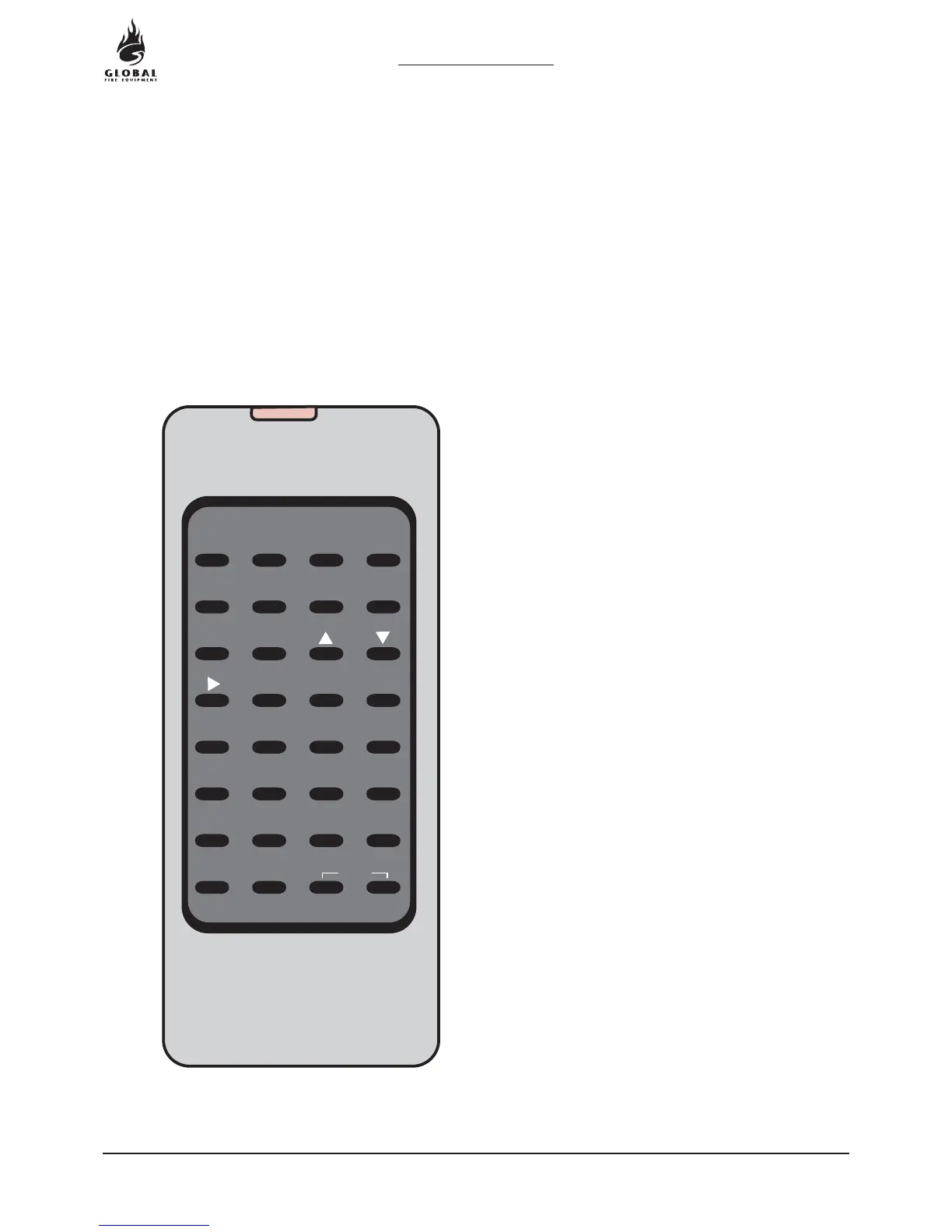
Programming mode is accessed via the miniature infra-red keypad (IR Keypad) or by connecting a PC
(PS2) keyboard to the Main Panel. It is also possible to upload and download settings to a PC but to
do this you must first enter the panel programming mode.
INFRA-RED KEYPAD
0
A
4
E
8
I
1
B
5
F
9
J
2
C
6
G
K
3
D
7
H
L
MN
/
[]
.
,
'
"
+
-
:
*
&
O
P
Q
R
S
T
UVWX
Y
HOME SHIFT
ENTER
B-SP
Z
SPACE
ESC
EXIT
HOME: Return to first loop, zone, device etc.
ENTER: Accept current selection
B-SP: Backspace
ESC.: Reject. (ESCape from current selection)
EXIT: Press both keys simultaneously to stop programming
SHIFT: Toggle this keypad to switch from alpha-numeric
to numeric
2.8 GETTING INTO PROGRAMMING MODE
23
OPERATION & MAINTENANCE MANUAL
REVISION 0.7a
16-04-2004


 To Next Page