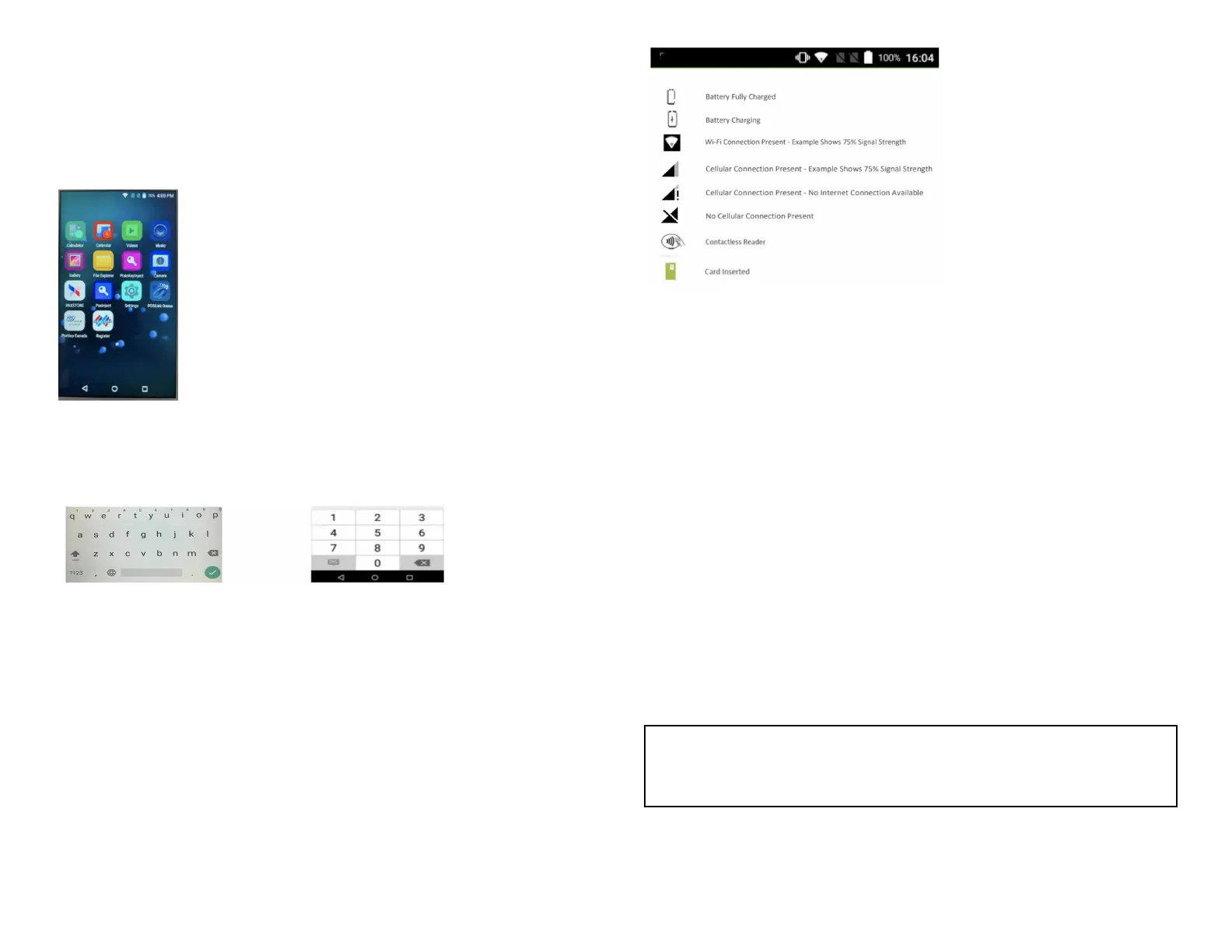
Menu screens and virtual keypad
Global Payments Smart Terminal – A920 is equipped with a 5” colour
capacitive touchscreen to facilitate data entry using a finger.
The sample virtual keypad shown below will display when the field tapped
on the touch screen requires alpha / numeric entry.
Header and condition icons
The system supports graphical icons that will indicate conditions the
terminal may be in at various states. The condition icons are displayed in
the header of all the screens. They indicate the status of the terminal and
application and warn the merchant about conditions that may prevent
normal operation.
Functions (FUNC) Menu
The Functions menu is the place where all terminal configuration settings
are stored.
1. Settings: allows you to configure the application to meet the needs of
your business.
2. Reports: allows you to print different reports.
3. History: details transaction history.
4. Re-print: allows you to re-print receipts.
5. Operator: view, add, or delete operator(s).
6. Batch: allows you to close batch.
7. Tip menu: allows to view Tip $ amounts via different options.
8. Store and forward
NOTE:
Some setting functions are password protected.
© 2022 Global Payments Inc. All Rights Reserved.
SM-212136-v1.1EN


 To Next Page