4. Tap OK.
5. Scroll down and tap Battery.
6. Tap on green box to turn on to display battery level values.
7. Tap the back icon to return to the Android home screen.
8. Tap the Portico Canada icon to return to the main menu screen.
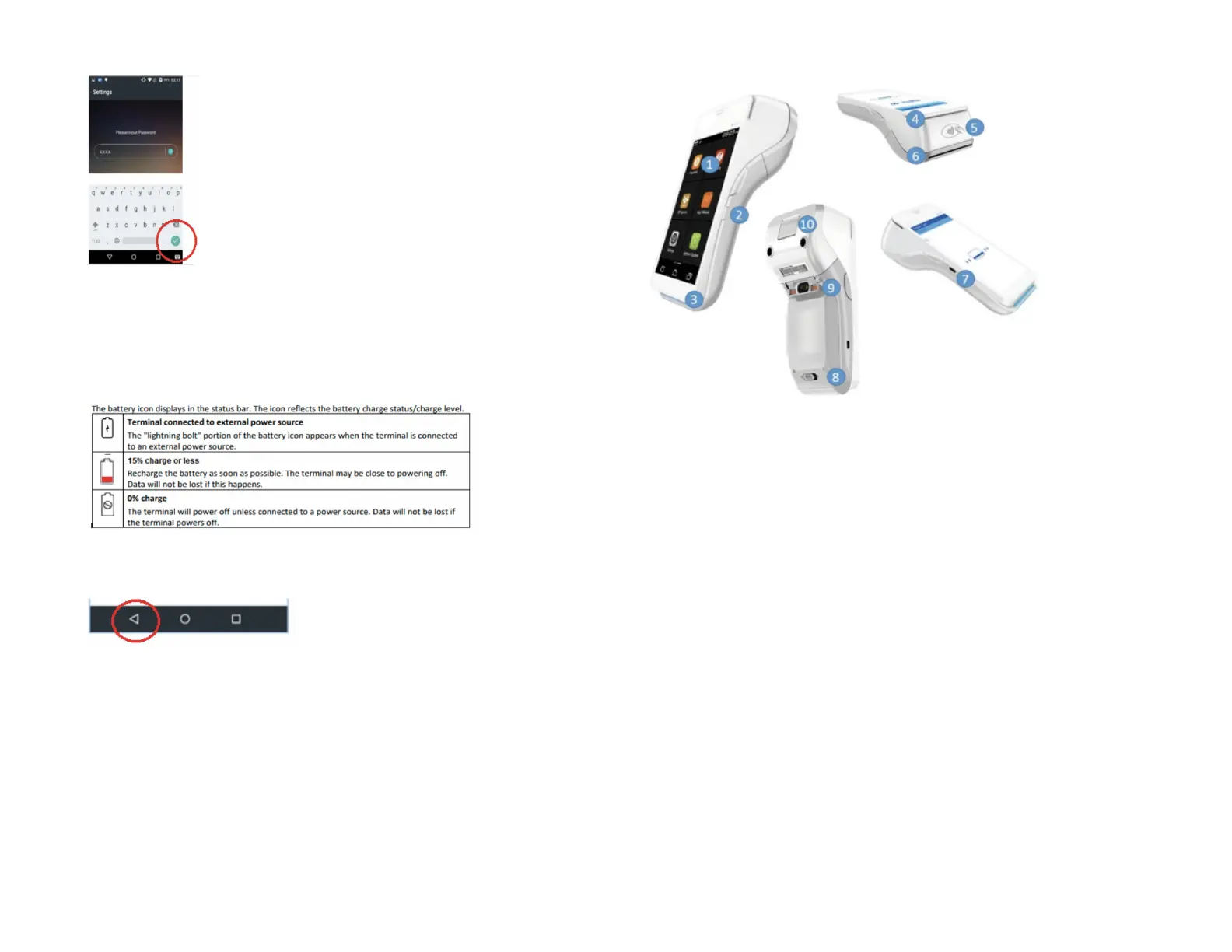
Terminal hardware description
1. 5” Touchscreen
2. Power button
3. EMV reader
4. MSR / Magstripe reader
5. Contactless / NFC reader
6. Receipt printer
7. Micro USB charging port
8. Removable battery cover
9. Charging prongs (for when docked into the optional charging base)
10. Lever to open the paper roll


 To Next Page