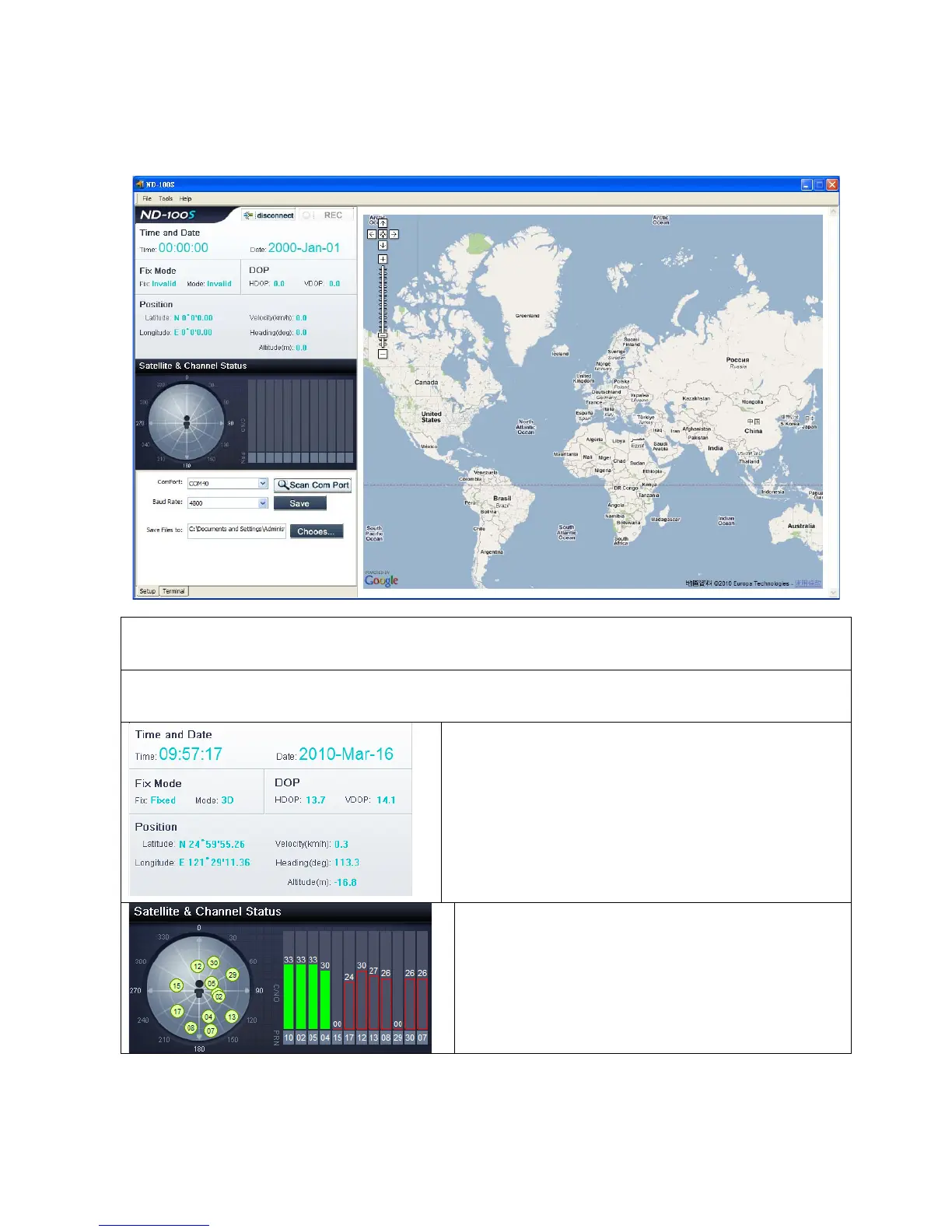
ND-100S AP interface Description
MENU
Executable ND-100S Cold Start / Warm Start / Hot Start and set the format type of Log File
MAP Portion
When the notebook is connected with internet, ND-100S AP’s MAP is go to show world map.
Time and Date:
Shows the current date and time
Fix Mode:
Show the state position.
DOP:
Show ND-100S positioning accuracy
Position:
Show ND-100S location latitude and longitude
coordinates, height and direction of the angle.
Satellite & Channel Status
100S is receiving..
The circle shows the current distribution of satellite;
Solid green bar indicates positioning satellite
intensity.
Red Bar shows non-positioning satellite intensity.


 To Next Page
 Loading...