Before using TR-151 for the first time, please
charge it by connecting to AC power adapter
under the power-off condition at least 4 hours.
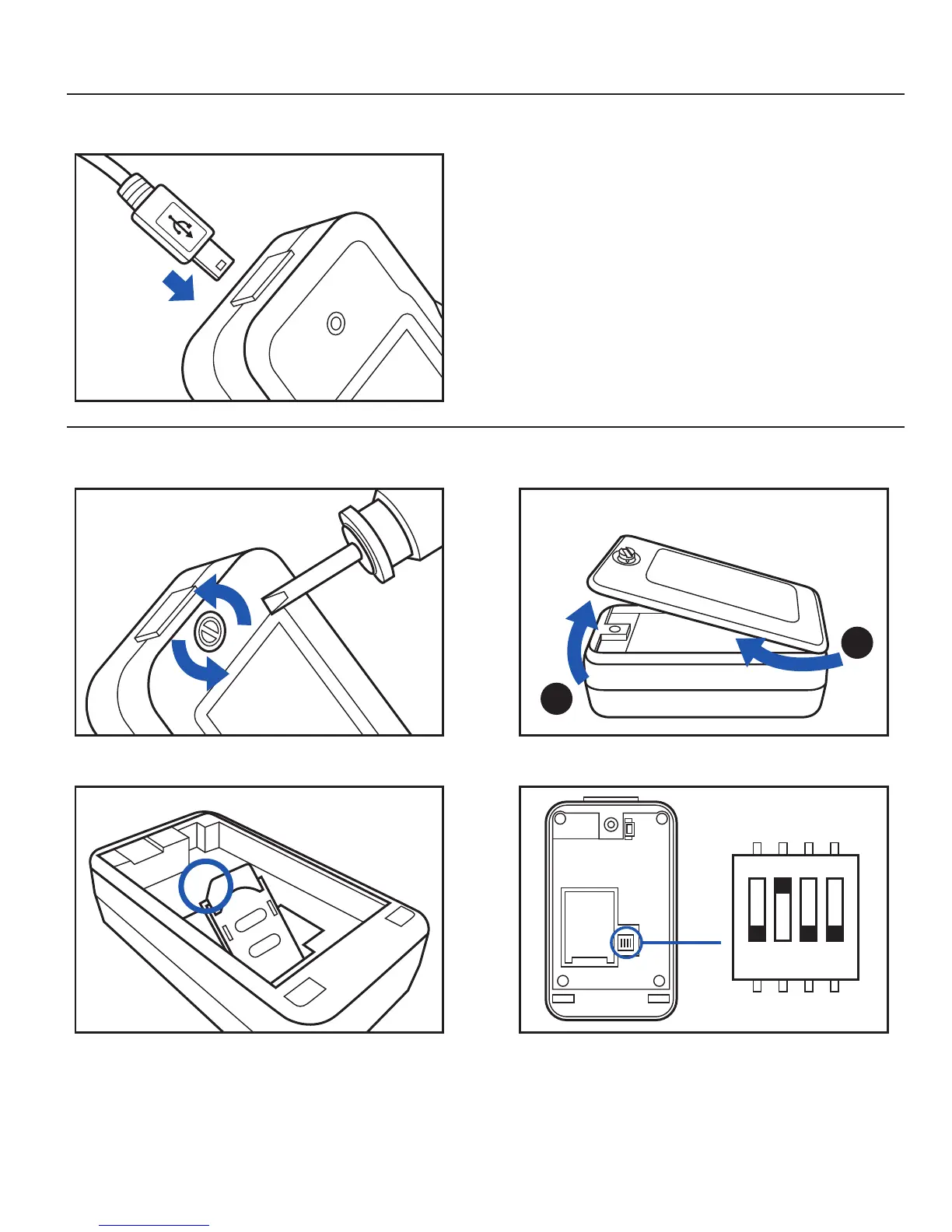
You can also charge the TR-151 by connect it to
PC or Notebook via USB cable. (The power of PC
or of notebook should be turned on.)
Note: The attached battery is specially designed
for TR-151. Please do not use other type of battery;
otherwise it will damage the device. If you need to
change the battery of TR-151, please contact your
local dealer
-Push forward the cover of SIM card slot to the
position marked with “OPEN”. Then lift up the
cover
-Insert the SIM card with its metal contacts
facing down and the cut corner at the top left.
Charge the device
Install SIM card
Unscrew TR-151 by screwdriver. Lift up the back cover.
1.
2.
SIMPLE TRACKER TR-151 02.
-Please make sure DIP switch 3 is at Off position.
-If DIP switch 3 is at On position, please turn it at
Off position with the sharp-pointed stuff.
1 2 3 4
ON
Device Operation



 To Next Page