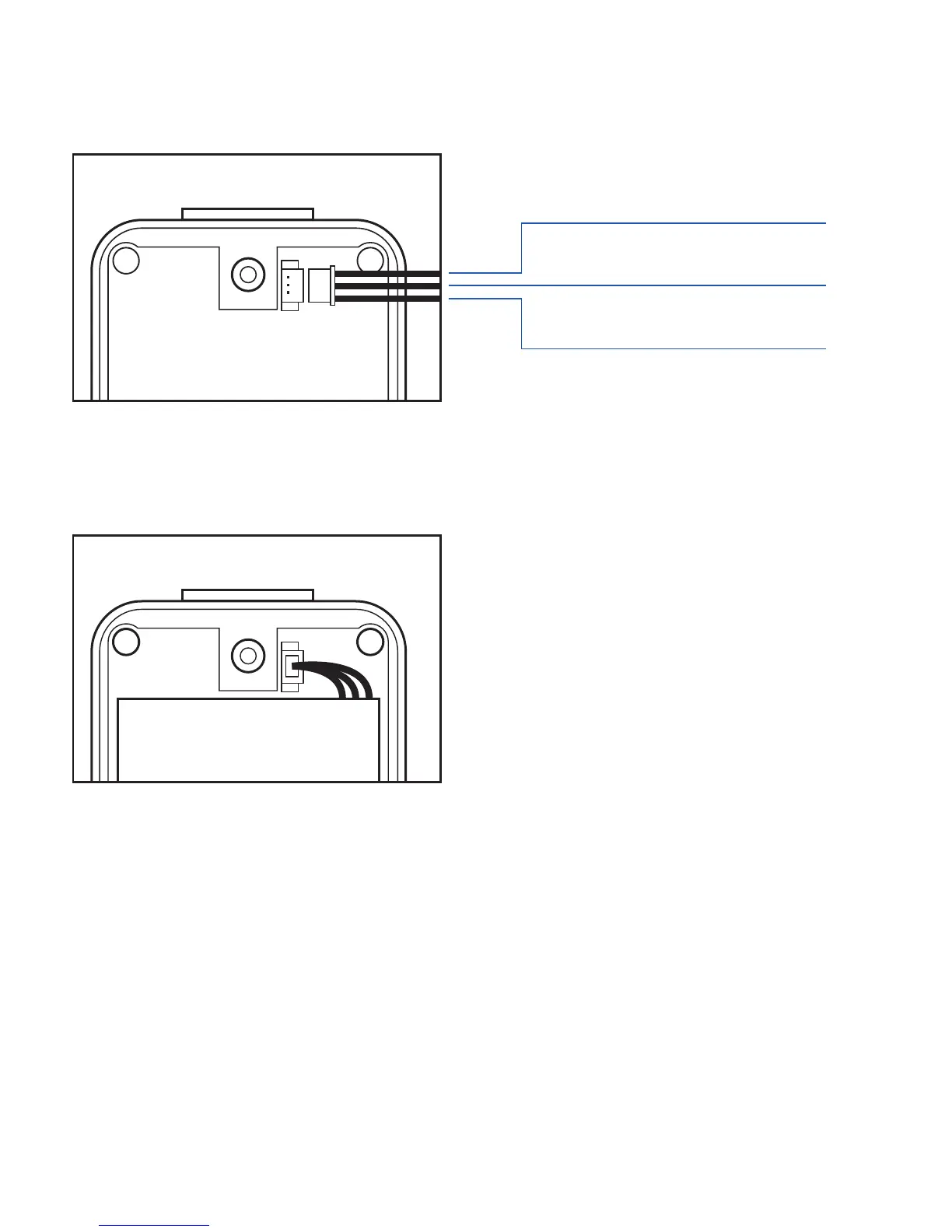
Plug the battery connector into socket. Be aware that the red wire must be plugged
on the top side.
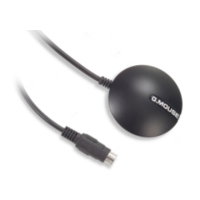
Please put the connector wire under the battery, and then put the battery into battery
compartment.
NOTE:
After installing the battery, the status LED will emit red light. After the LED go out, please wait
for 5 seconds before turning on the power.
Please take out the battery if you do not use TR-151 for a long time.
Red
Yellow
Black
SIMPLE TRACKER TR-151 03.
Install Battery



 To Next Page