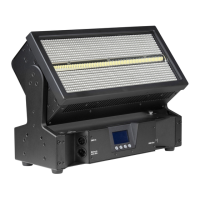
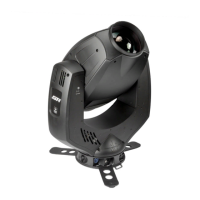
Need help?
Do you have a question about the GLP Impression Series and is the answer not in the manual?
Crucial safety rules to follow for operating the IMPRESSION device safely and preventing damage or injury.
Guidelines for physically installing the IMPRESSION unit in various positions (floor, hanging, sideways).
Instructions for upright installation using the dedicated tripod and Camlock connectors.
Steps for hanging the fixture using a half-coupler and thread bolt.
Method for mounting the unit sideways using an additional mounting bar and half-couplers.
Instructions on using safety wires to secure the fixture, emphasizing load capacity and proper fastening.
Details on connecting the device to power supply and DMX systems.
Information on the voltage, frequency, power consumption, and fuse for the device's power input.
Explanation of DMX-512 standard, connector pinout, and DMX addressing start.
Essential safety precautions to take before performing any maintenance or cleaning on the fixture.
Recommended cleaning intervals for the LED reflector, optical system, and fan/air channels.
 General
| Type | Moving Head |
|---|---|
| Light Source | LED |
| Wattage | Varies depending on the specific model within the Impression Series |
| Beam Angle | Varies depending on the specific model within the Impression Series |
| DMX Channels | Varies depending on the specific model within the Impression Series |
| Control | DMX |
| Dimensions | Varies depending on the specific model within the Impression Series |
| Weight | Varies depending on the specific model within the Impression Series |

 To Next Page