GLP German Light Products GmbH instruction version 1.05 10
3 The Menu Field
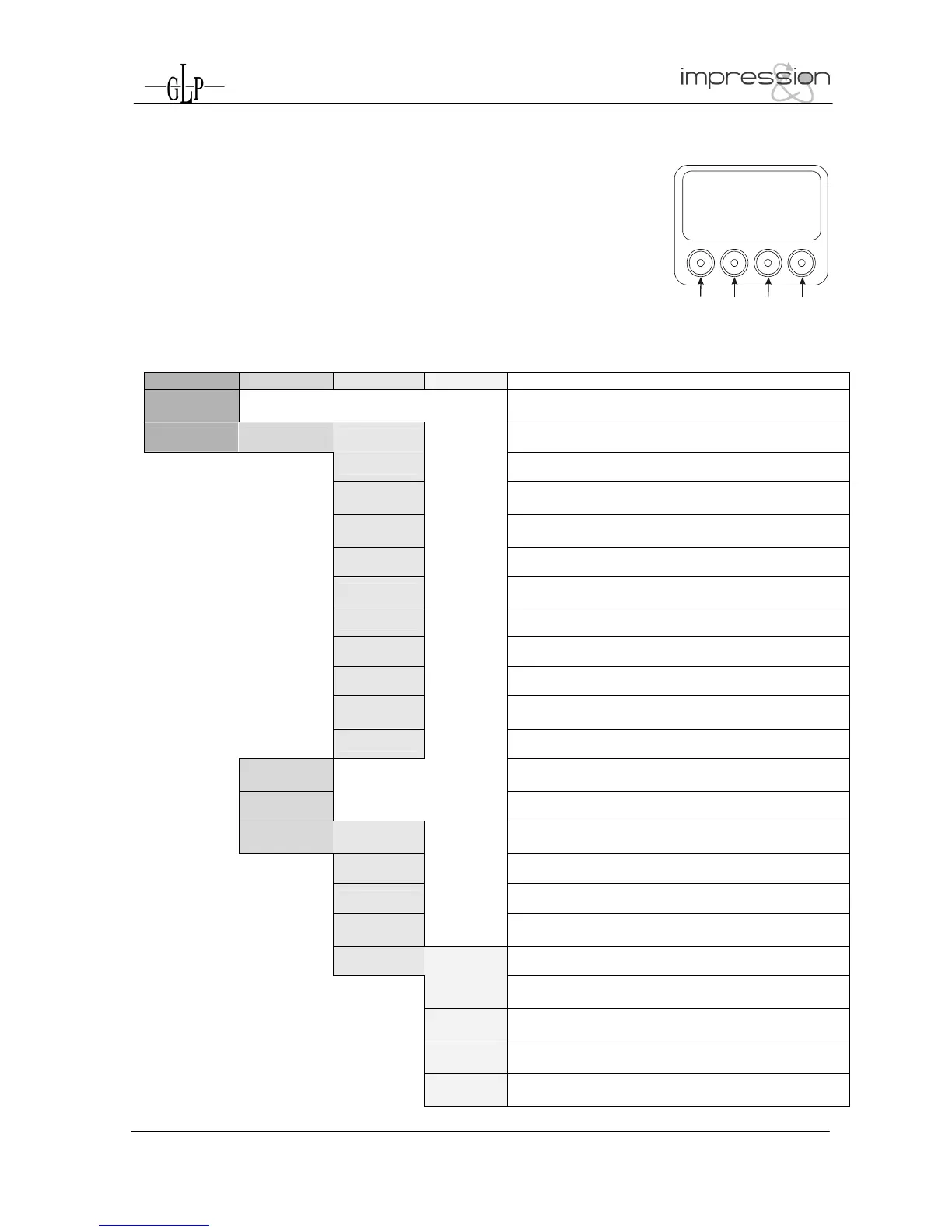
You’ll find the control board on the side part of the arm. It allows you
to make all necessary adjustments of the
I
I
M
M
P
P
R
R
E
E
S
S
S
S
I
I
O
O
N
N
.
. With the
Mode-key you get into the main menu. Afterwards you can navigate
through the menu with the Up/Down-keys. Push the Enter-key to get
in the next menu level or to confirm your settings. Make them and set
functions ON/OFF with the Up/Down-keys. Confirm and save it with
the Enter-key (the display shows OK). Push the Mode-key to cancel
the entry and go back to the main menu.
Mode Down
Enter Up
Å MODE - ENTER Æ
Level1 Level 2 Level 3 Level 4 Remark
DMX Start
Address 001
Define the DMX start address
Special Manual DMX
Manual control of all system functions
Pan
Manual control for Pan (X-movement)
Pan/Tilt
Movements
Manual control for Pan/Tilt movement
Special
Activate the White- or Full-Power Mode; see also
DMX table
Dimmer
Manual control for Dimmer
Shutter
Manual control for Shutter
Blue
Manual control for blue
Green
Manual control for green
Red
Manual control for red
Color
Wheel
Manual control for the color wheel
Tilt
Manual control for Tilt (Y-movement)
Display
Contrast
Adjustment for the Display contrast
Default Set
Resetting all functions to original values
Adjust
Key code
xxxx
Use the code for entering the calibration menu (for
authorized persons only)
Pan Offset
Calibration for Pan-Offset
Tilt Offset
Calibration for Tilt-Offset
Clear
EEPROM
Erase EEPROM memory
Diagnose
Diagnose functions
Pos Feed
Pan Delta
Internal data and function diagnose
Anz Ti0-
Int-Err
Internal data and function diagnose
PFC
Voltage
Show the present PFC voltage
Å DOWN - UP Æ
Pos Feed
Tilt Delta
Internal data and function diagnose


 To Next Page