19
Testing Your Blood Glucose
STEP 4
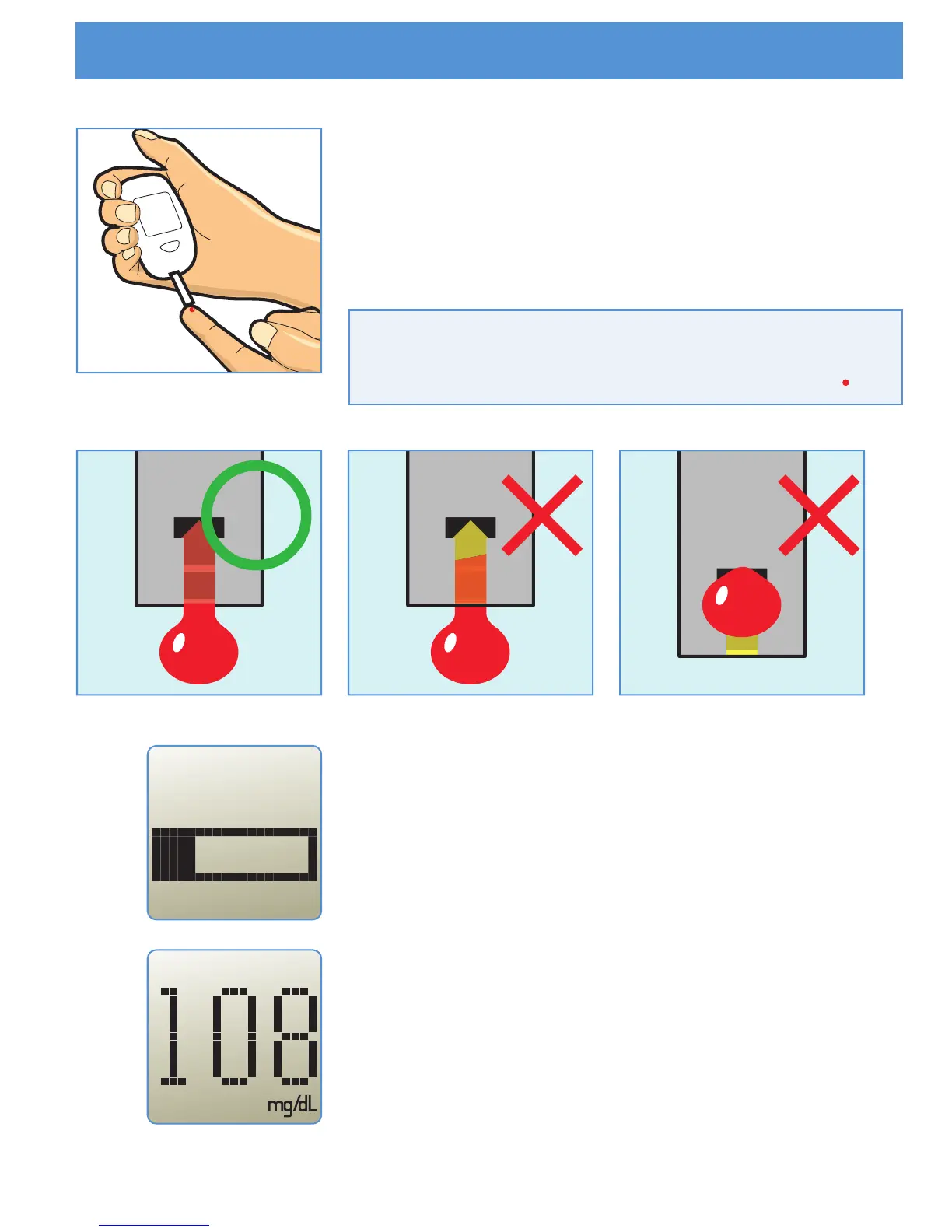
Bring tip of the test strip to lightly touch the
drop of blood. Hold until the Meter beeps.
Blood is automatically pulled into the test strip.
STEP 5
The Meter will now show counting progress
during 5 seconds.
STEP 6
The test result is complete when you hear
beeps. Your blood glucose test result is
shown on the display screen.
Important : The volume of blood sample
must be at least 0.5 microliter(real size" ").



 To Next Page