27
Setting the Meter
STEP 1
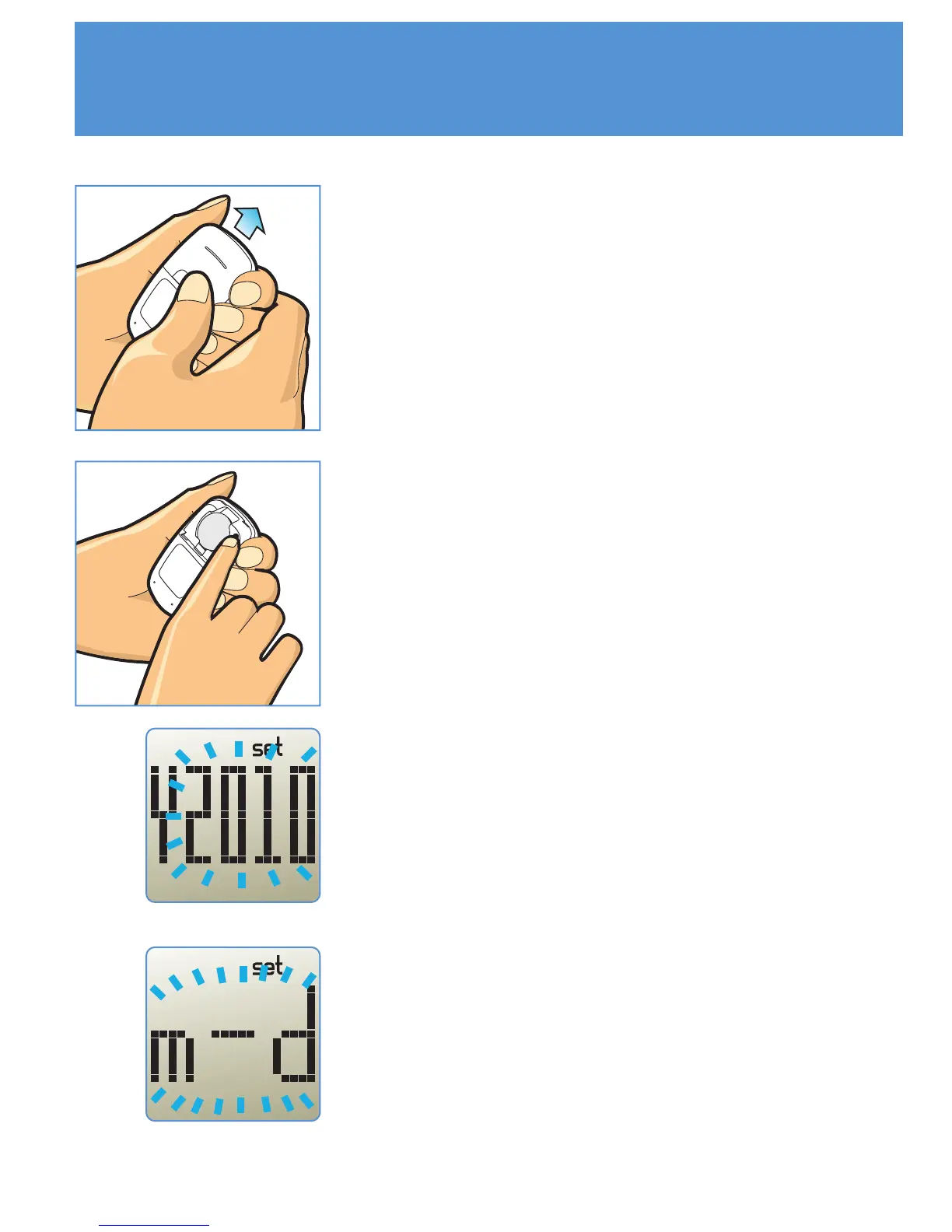
When the meter is off, remove battery cover.
STEP 3
The year will appear first, with the year
flashing. Press the 'M' button until the correct
year appears. Press the 'SET' button to move
to the date format setting.
STEP 4
With "m-d" or "d.m" flashing, press the 'M'
button to select "month-day" or "day. month"
format. Press the 'SET' button to move to the
month setting.
STEP 2
Then press the 'SET' button located in the
battery compartment. The meter is now in the
setting mode. You can start setting up the
meter.



 To Next Page