Testing Your Blood Glucose
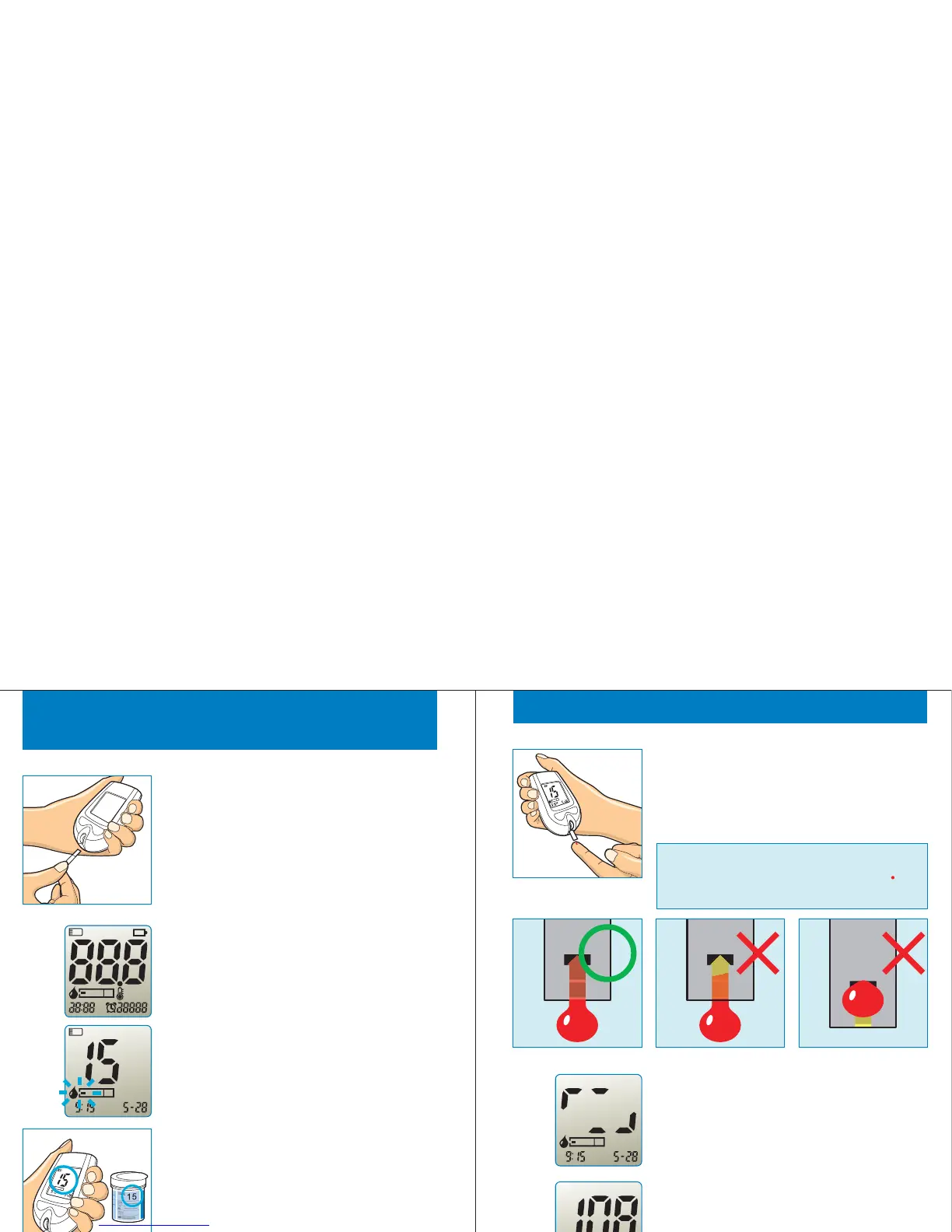
Insert the test strip while electrode end
facing up into the test strip port until stop.
The meter turns on automatically.
STEP 1
After time and date is displayed for a while.
The code number and strip symbol are
displayed. A strip symbol with filling blood
tells you is ready to test.Gmate™WHeeL
STEP 2
Compare and ensure the displayed code
number is same as printed code on test
strip container. If displayed code number is
different, please use another new strip.
STEP 3
18
am
C
AvgM em
Set
mg/dL
am
pm
C
Testing Y our Blood Glucose
Touch the drop to test strip tip, and hold
until the Gmate™WHeeL beeps. Blood
sample is drawn into test strip.
The screen shows counting progress
during 5 seconds.
When the measuring complete, there is
beep sound. The blood glucose test result
display on screen.
STEP 4
STEP 5
STEP 6
Important : The volume of blood sample
must be over 0.5 microliter(real size" ") at
least.
19
am
mg/dL
am



 To Next Page