Setting the Meter
STEP 1
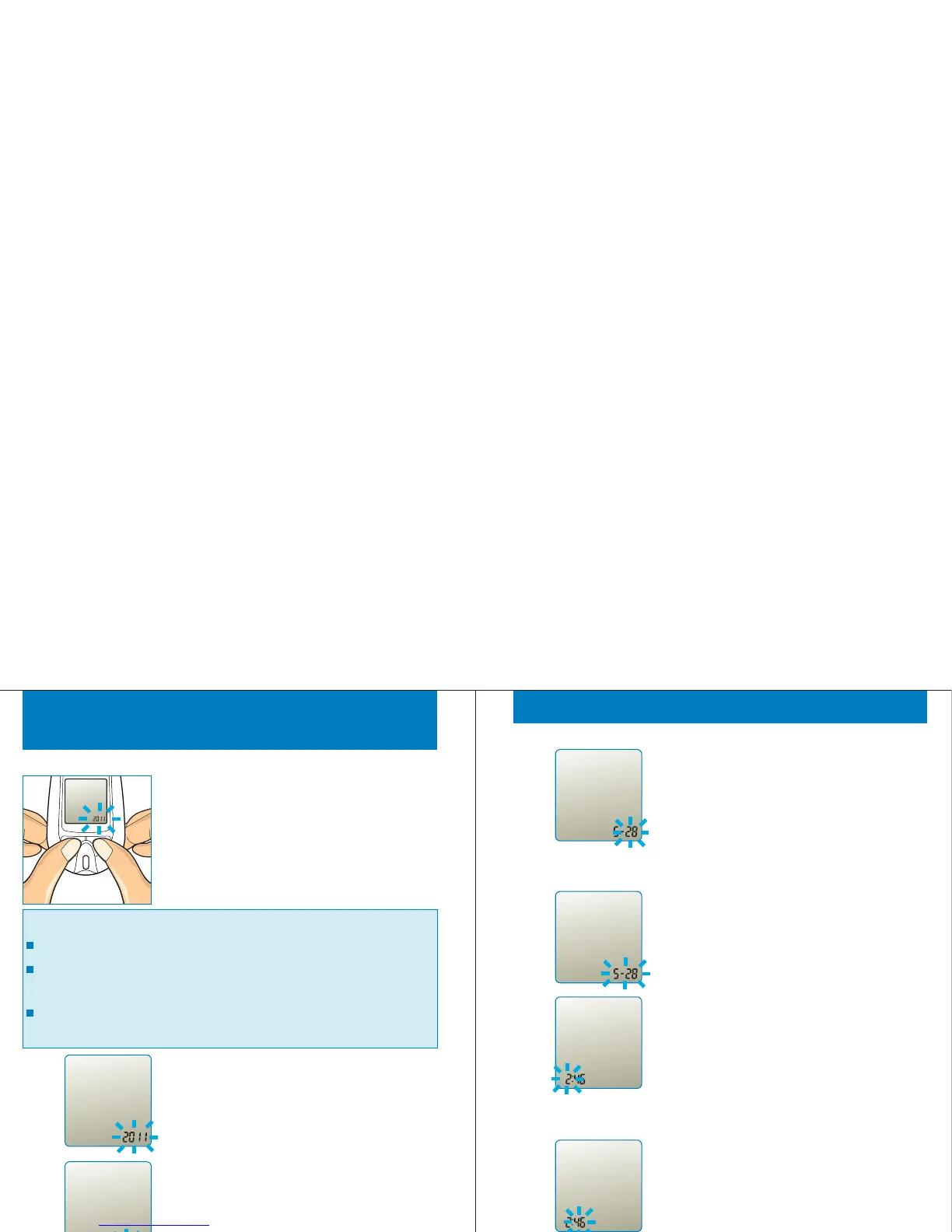
Press both '<' and '>' buttons together for 3
seconds. “Set” is displayed on screen
while the year is blinking.
Press and release the button until the correct
year appears. Decreasing by '<' button, and
increasing by '>' button. Press and release '<' and
'>' buttons together to move to “month” setting.
STEP 2
28
STEP 3
During the month is flashing, press and release
the button until the correct month appears.
Decreasing by '<' button, and increasing by '>'
button. Press and release '<' and '>' buttons
together to move to “day” setting.
Set
Important :
Click the '<' button or '>' button to adjust the parameter.
Press the '<' and '>' buttons together simultaneously to move
to the next setting.
Press the '<' and '>' buttons together for 3 seconds to exit the
setting.
Set
Set
Set
During the date is flashing, click the '<' and
'>'button to select "month-day" or "day
month" format. Press and release '<' and '>'
buttons together to move to “hour” setting.
During the day is flashing, press and release
the button until the correct day appears.
Decreasing by '<' button, and increasing by
'>' button.Press and release '<' and '>'
buttons together to move to the “date format”
setting.
STEP 5
Setting the Meter
During the hour is flashing, press and
release the button until the correct “hour”
appears. Decreasing by '<' button, and
increasing by '>' button. Press and release '<'
and '>' buttons together to move to “minute”
setting.
STEP 6
During the minute is flashing, press and
release the button until the correct minute
appears. Decreasing by '<' button, and
increasing by '>' button. Press and release
‘<' and '>' buttons together to move to the
“time format” setting.
STEP 7
29
STEP 4
Set
Set
pm
Set
pm



 To Next Page