Setting the Meter
STEP 8
30
Set
pm
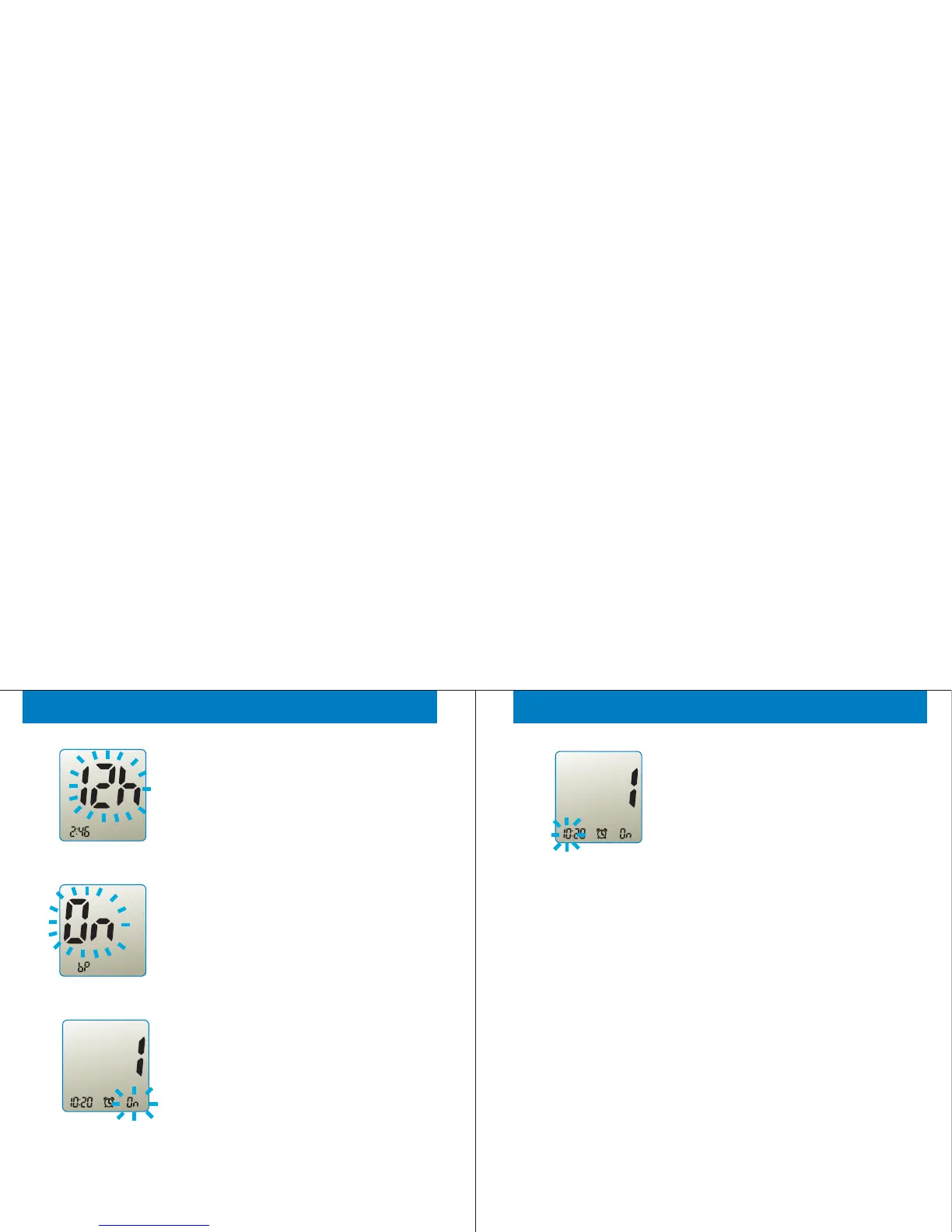
During "12h" or "24h" is flashing, press
and release the '<' or '>' button to select
12-hour or 24-hour format. Press and
release '<' and '>' buttons together to move
to “beeper” setting.
Set
During "On" or "Off" is flashing, press and
release the button to select beeper-on or
beeper-off. Press and release '<' and '>'
buttons together to move to the “alarm”
setting.
STEP 9
Set
am
During "On" or "Off" is flashing, press and
release the button to select the first alarm
on or off. Press and release '<' and '>'
buttons together to move to the second
alarm setting when the first alarm is off.
Press and release '<' and '>' buttons
together to set the time of first alarm when
the first alarm is on.
STEP 10
Setting the Meter
STEP 11
Press and release '<' or '>' button to set
the first alarm time when the first alarm is
on by the same way of previous the hour
and minute settings.
Set
am
STEP 12
After totally settings of four alarms are
completed, press and release '<' and ‘>’
buttons together to finish setup and turn off
the Gmate™WHeeL.
31



 To Next Page