Reviewing Results
STEP 3
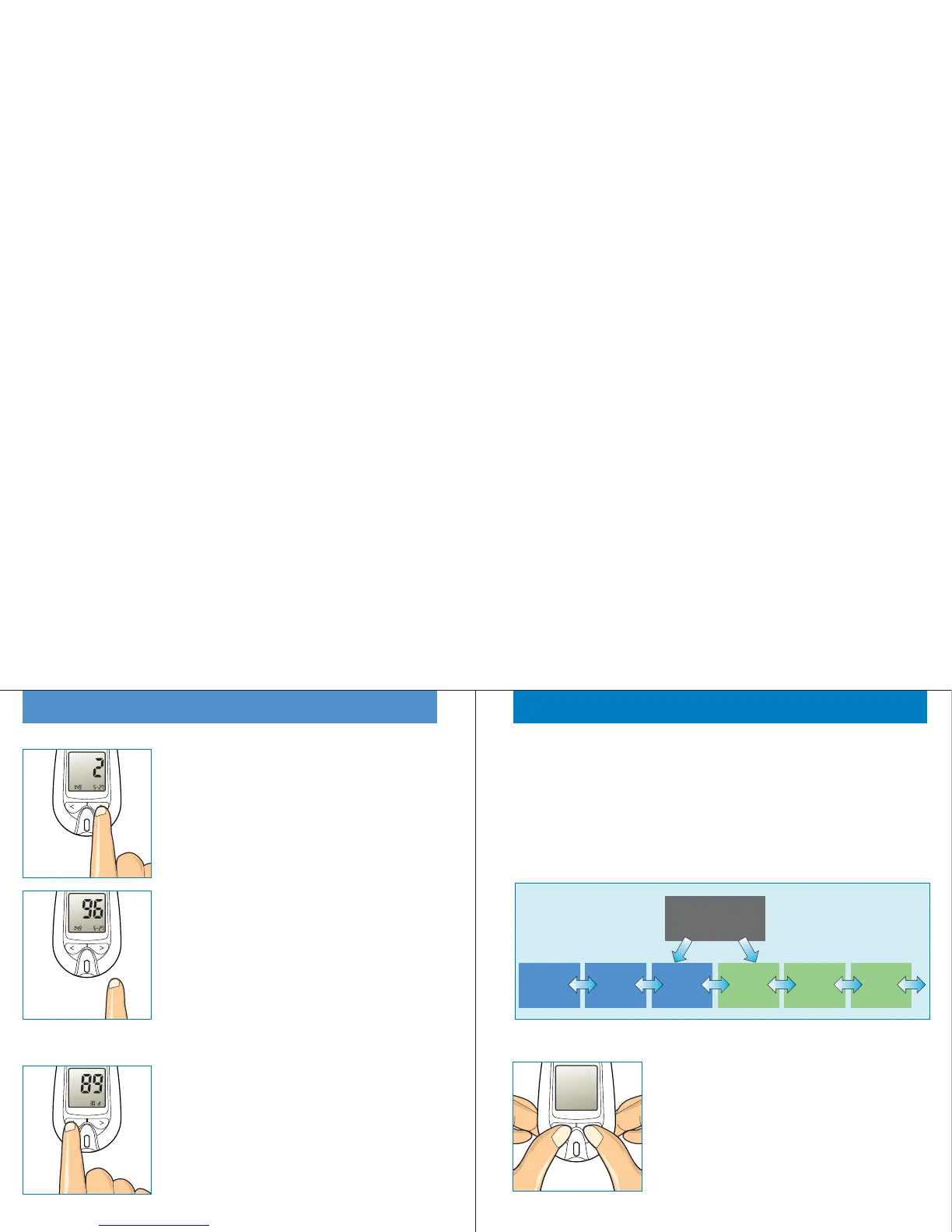
Press the '>' button, the previous test
number (=2) is displayed. When release
the '>' button, the appropriate glucose
result is displayed.
Press and release the '>' button, you can
review the older test results and the '<'
button is for the later results one by one.
26
Mem
pm
Mem
mg/dL
pm
STEP 4(T o review average)
To review your 30-day result average,
press and release '<' button while a strip
symbol is blinking.
Pressing and releasing the '<' button allow
you to scroll forward to 14-day and 7-day
averages.
Avg
mg/dL
Reviewing Results
STEP 5
Press and release the '<' button at the last
test result, you can see the 30-day
average. Press and release the '>' button
at the 30-day average, you can see the
last test result.
STEP 6
Press both '<' and '>' buttons together to
turn the Gmate™WHeeL off.
27
30-day
Average
14-day
Average
7-day
Average
Last
Result
2nd
Result
3rd
Result
A strip shape
is blinking



 To Next Page