For proper operation, make sure the
iPod has the latest firmware from
Apple
®
. iPod firmware can be
updated using the latest iTunes
®
application.
For more information, visit
www.apple.com/itunes
To connect and control an iPod,
connect one end of the standard
iPod USB cable to the iPod’s
dock connector. Connect the
other end to the USB port in
the center console.
iPod music information displays
on the radio’s display and begins
playing through the vehicle’s
audio system.
The iPod battery recharges
automatically while the ignition
is on or in the ACC/ACCESSORY
position. When the ignition is turned
off while an iPod is connected
using the iPod USB cable, the iPod
battery stops charging and the iPod
automatically turns off.
If the iPod is a model that is not
supported, it can still be listened to
in the vehicle by connecting it to the
auxiliary input jack using a standard
3.5 mm (1/8 inch) stereo cable.
See Auxiliary Devices on page 40 for
more information.
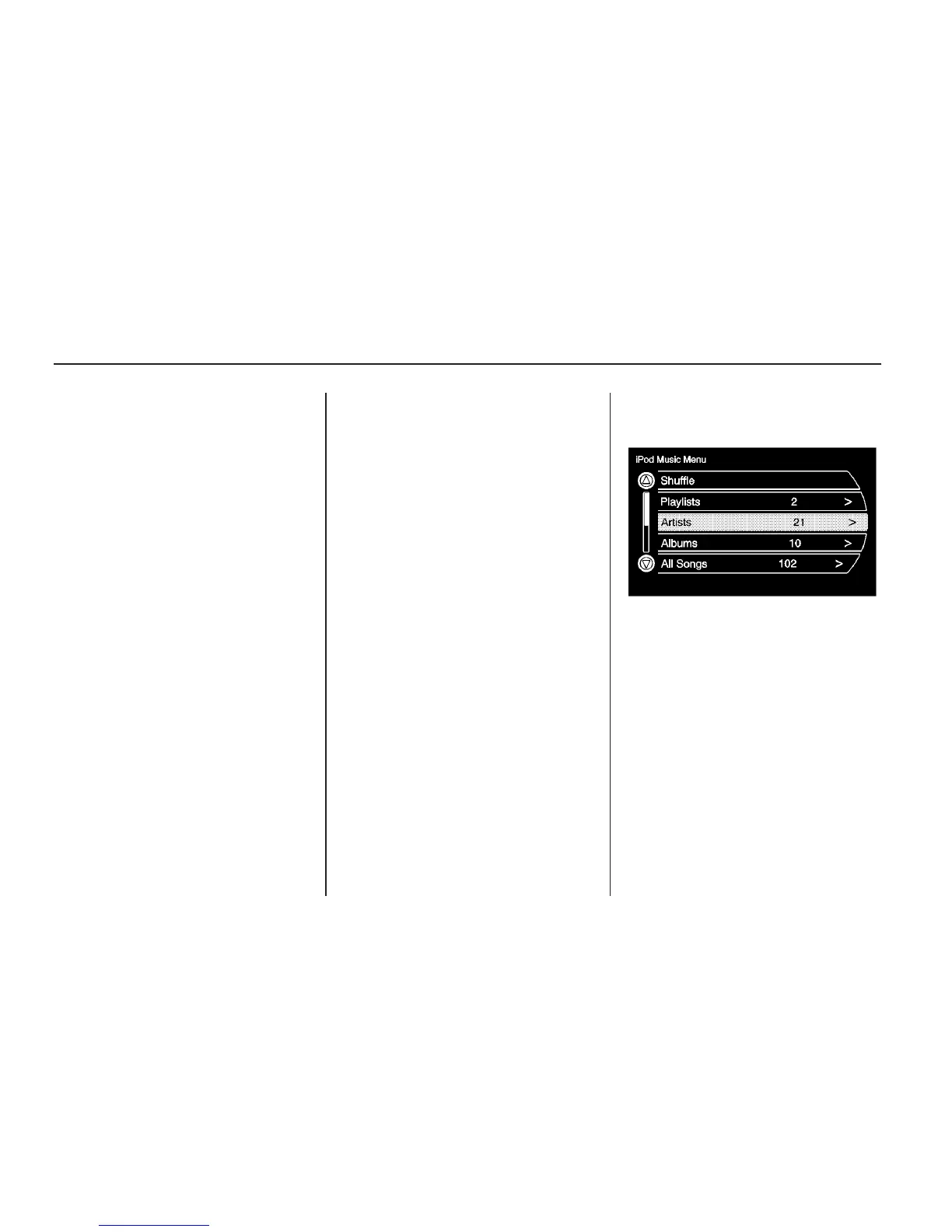
iPod Music Menu
Select any of the following buttons on
the iPod Music Menu to display the
corresponding screen:
Shuffle: Select this button to play
the tracks randomly rather than
in sequence. Select the button
again to stop this function.
34 Infotainment System



 To Next Page