If OK is not selected, all hard
keys except for NAV and DEST
can be accessed. Once the NAV
or DEST hard keys are pressed,
this Caution screen appears and
OK must be pressed to access
the navigation map.
When getting started the navigation
system can be set to preferences or
information that has been entered
can be deleted using various options.
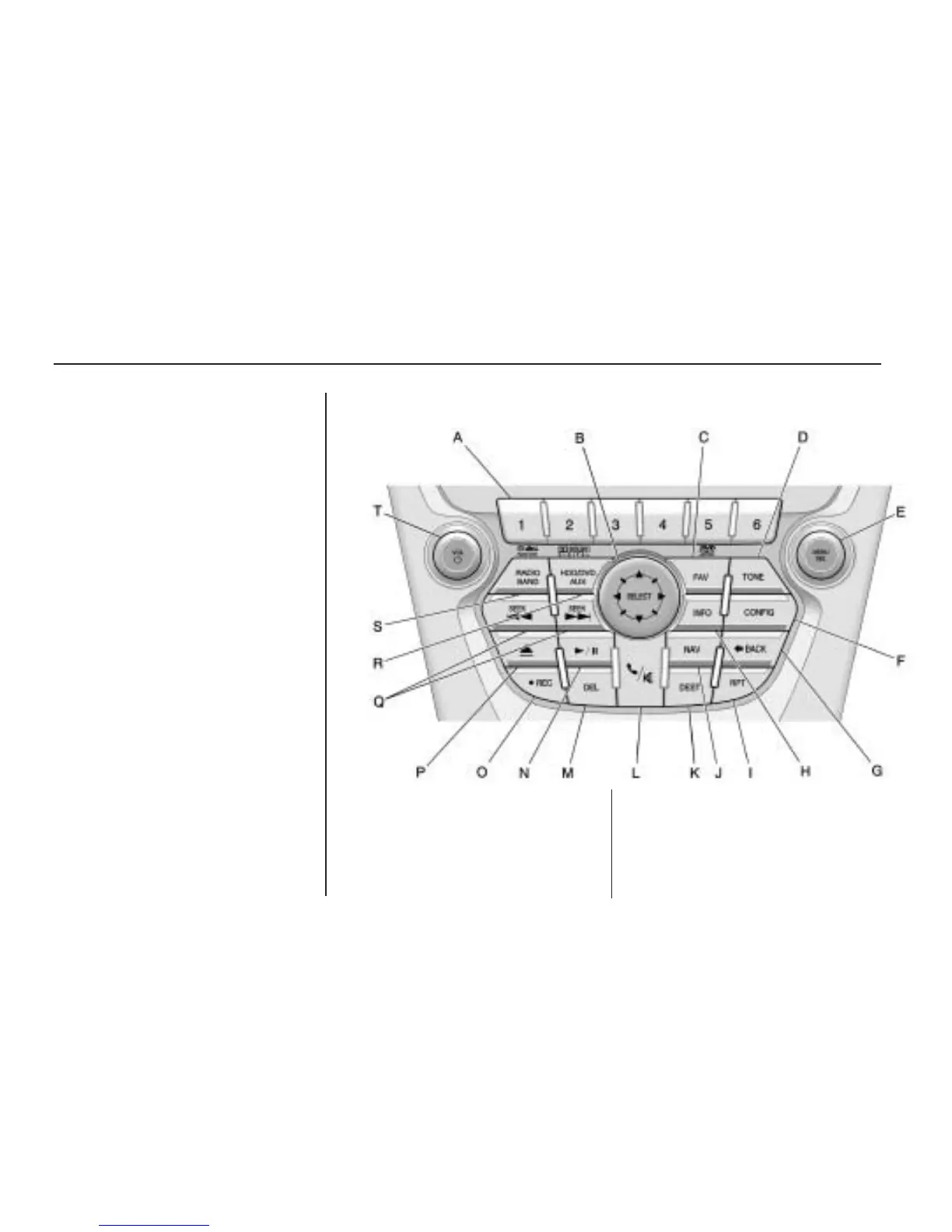
Navigation System Overview
A. Radio Preset keys. See AM-FM
Radio on page 12.
B. SELECT. See “Navigation Hard
Keys” under Using the Navigation
System on page 41.
C. FAV (Favorite) key. See “Storing
Radio Station Presets” later in
this section. Also see AM-FM
Radio on page 12.
6 Infotainment System



 To Next Page