32 Infotainment System
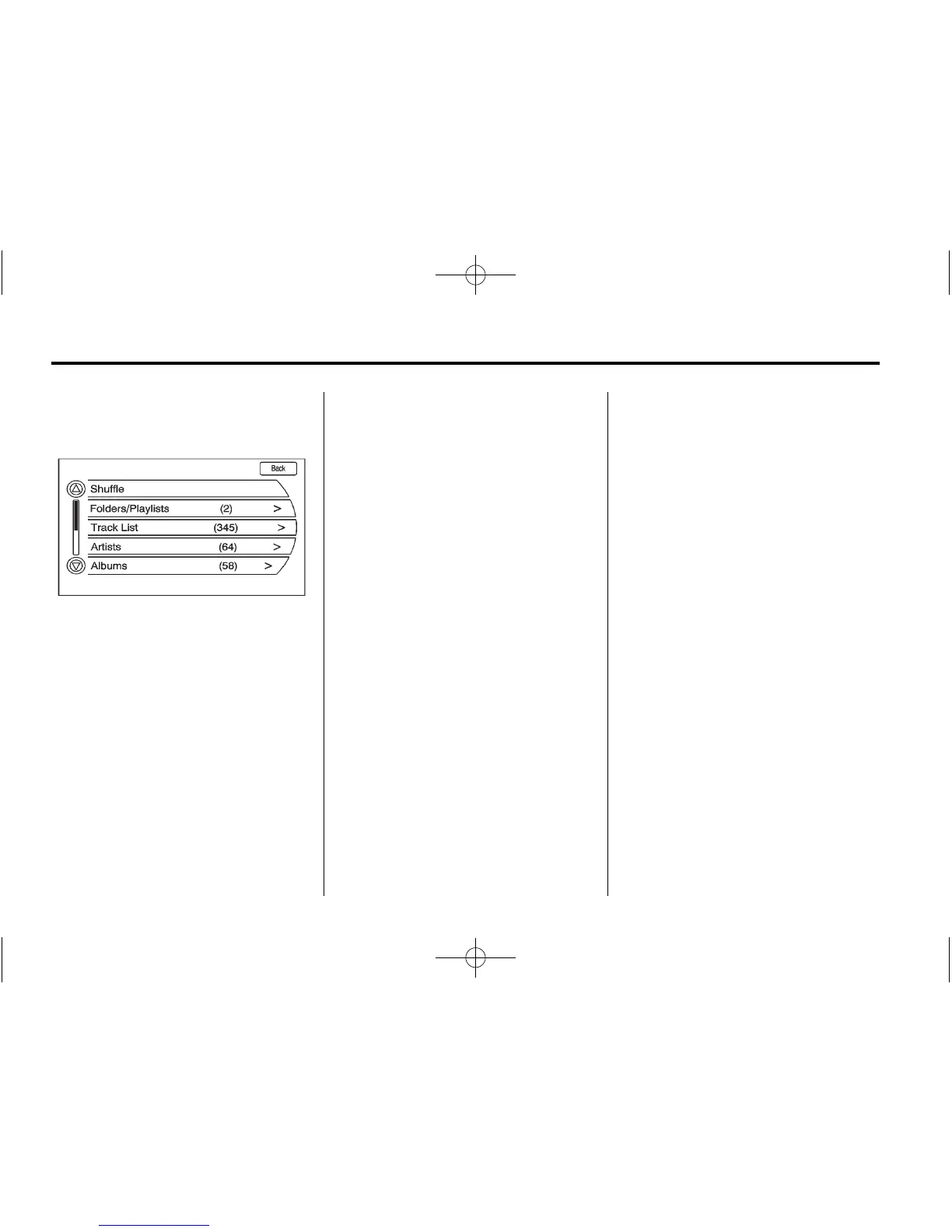
USB Music Menu
Press the USB Menu button or
press the MENU/SEL button while
on the USB audio screen to display
the USB Music Menu.
Select any of the following buttons
on the USB Music Menu:
Shuffle:
1. Select to play the tracks
randomly.
2. Select again to stop this
function.
Folders/Playlists:
1. Press to view the playlists stored
on the USB.
2. Select a folders/playlists to view
a list of all songs in the folder/
playlist.
3. Select a song from the list. Once
selected, Folders/Playlists Mode
displays.
Track List:
1. Press to view the track list
stored on the USB.
2. Select the desired track to play.
Artists:
1. Press to view the artists stored
on the USB.
2. Select an artist to view a list of
all songs by the artist.
3. Select a song from the list. Once
selected, Artist Mode displays.
Albums:
1. Press to view the albums stored
on the USB.
2. Select an album to view a list of
all songs on the album.
3. Select a song from the list. Once
selected, Album Mode displays.
All Songs:
1. Press to view a list of all songs
stored on the USB.
2. Select a song from the list. Once
selected, All Songs Mode
displays.
Genres:
1. Press to view the genres stored
on the USB.
2. Select a genre to view a list of
all songs of that genre.
3. Select a song from the list. Once
selected, Genre Mode displays.
Eject USB: Press when the USB is
to be removed. If the USB is
disconnected without selecting Eject
USB, the files could become
corrupted.















 To Next Page