Infotainment System 75
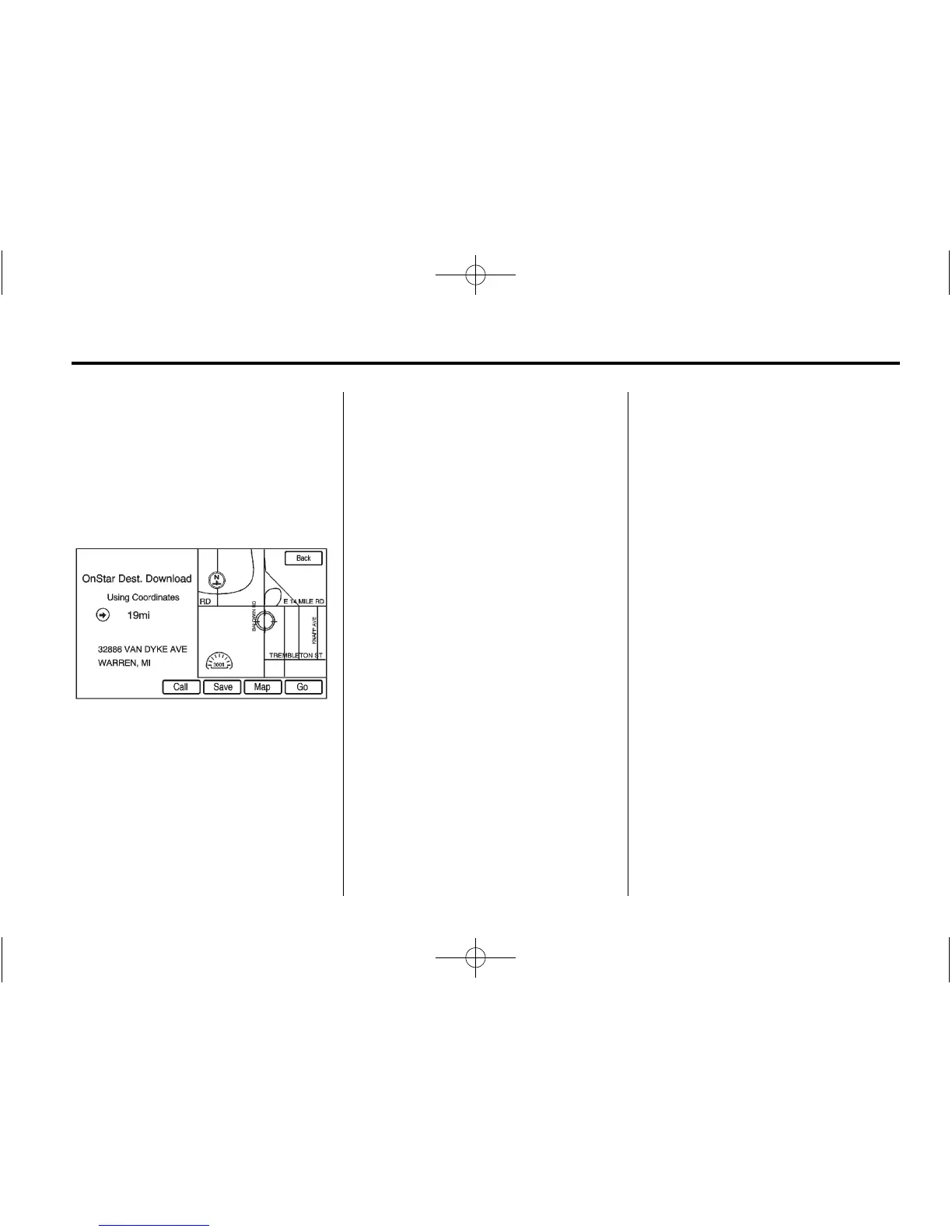
If the address is not found within the
map database, the system may use
latitude and longitude coordinates to
locate the destination. In this case,
“Using Coordinates” displays on the
downloaded screen.
If the system is unable to locate the
address, the Destination Not Found
screen displays.
Route Guidance Not Active
If an OnStar destination is
downloaded while route guidance is
not active, the navigation system
displays a pop-up screen and does
the following screen functions:
.
Press Go, the navigation system
starts route calculation to the
destination(s) received.
.
Press the Map screen button,
the navigation system displays
the Destination Map Screen.
.
Press the Call screen button,
the navigation system initiates a
call with Bluetooth Phone
(if available) or OnStar
Personal Call.
.
Press the Save screen button,
the navigation system copies the
downloaded destination to the
address book and displays he
new address book entry. The
destination saves this download
even if it is only partial
information such as a phone
number.
.
Select the Back screen button,
the navigation system cancels
the OnStar destination download
and returns to the previous
screen. The downloaded
address is not added to the
previous destinations.















 To Next Page