R 03MAR22
PART No.
SHEET
ALL INFORMATION WITHIN ABOVE
BORDER TO BE PRINTED EXACTLY
AS SHOWN ON 8.5 x 11 WHITE 16
POUND
NON-BOND RECYCLABLE
PAPER.
PRINT ON BOTH SIDES,
EXCLUDING TEMPLATES. TO BE
UNITED IN ACCORDANCE
WITH
GMCCA SPECIFICATIONS.
Title GM Ultium EV Charging Station
User Manual
03MAR21 First Re l
15
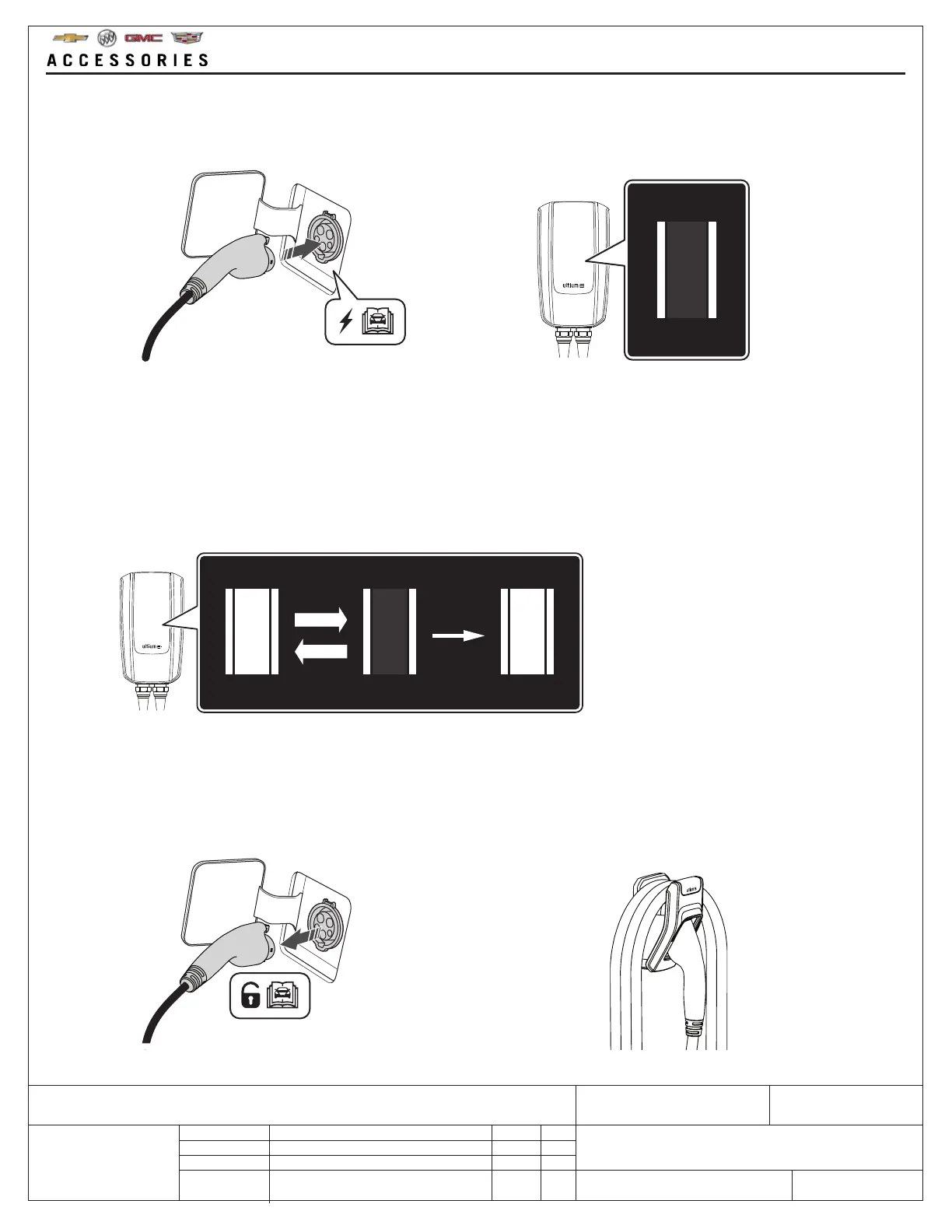
10. When the vehicle is fully charged:
• Unlock the connector plug from the vehicle outlet as per the vehicle owners manual
• Loosely wrap the charging cable on the cable wall mount so that the cable doesn’t come into contact with the
floor
• Put the connector plug back into its holster
9. During charging:
• ZONE 1 → Flashing
• ZONE 2 → Constant light
When the charge is complete
• ZONE 1 → Constant light
• ZONE 2 → Constant light
8. FULLY UNCOIL THE CHARGING CABLE BEFORE CONNECTING.
When the connector is connected properly, it will be indicated on ZONE 2 by a constant light. Waiting for smart
mobile device and vehicle schedule to start.



 To Next Page