Page 29
General Machine Products (KT), LLC
13.0 APPENDIX 2 - MAIN REMOTE SCREENS
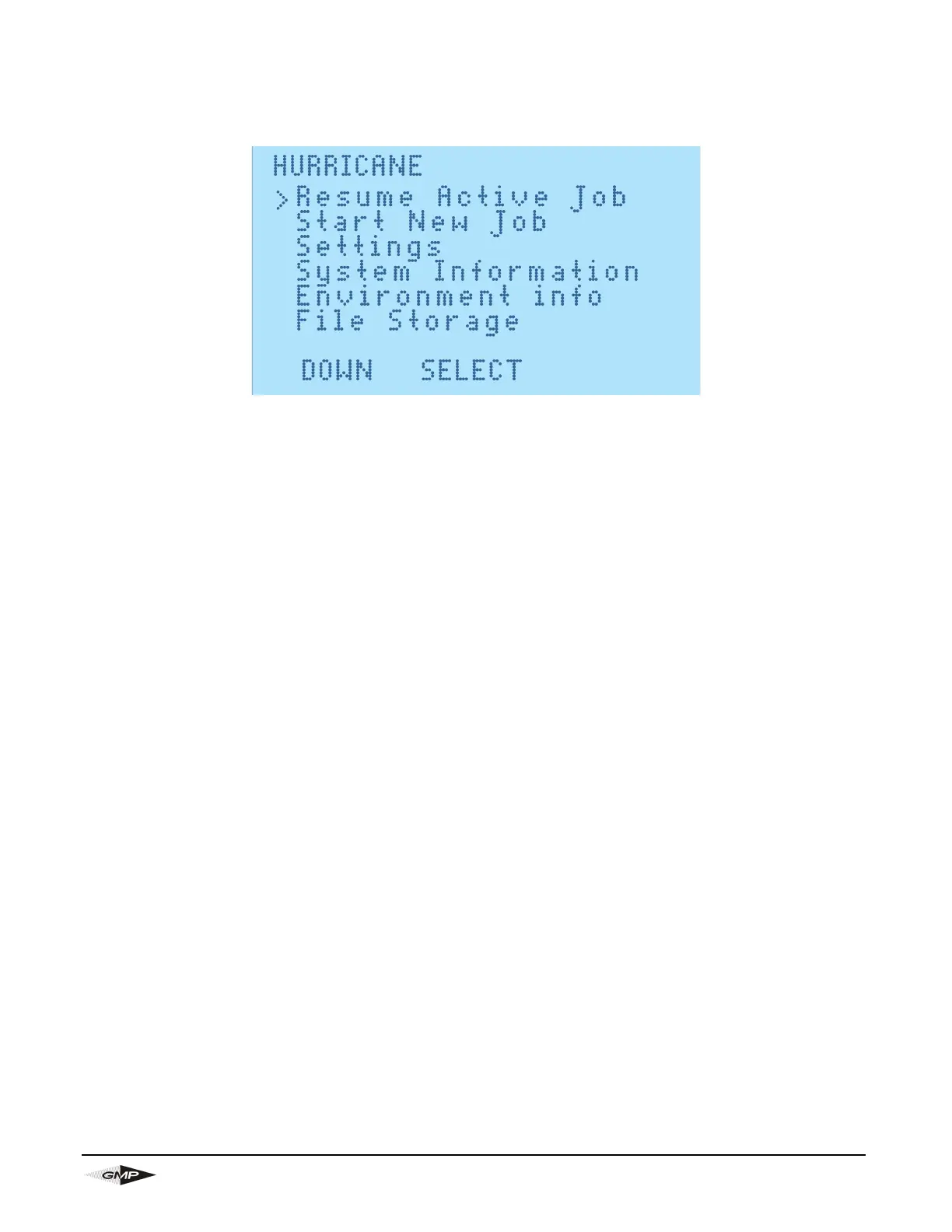
13.1 MAIN SCREEN
This screen is the first screen on start-up and can be used to access all other screens on the remote.
The options on this screen are:
1. Resume Active Job- this is only shown if an active job is available and take you back to the
installation screen.
2. Start New Job- this is used to enter the installation screen
3. Settings- here you can:
a. Turn LCD backlight on and off
b. Set Date/Time- The date should be correct on delivery, but the time may be wrong due to time
zone differences.
c. Units of Measure- This is used to change the Date format and toggle between metric and imperi-
al units e.g. mm will convert to inches.
d. Language - This is used to change language of the machine. Language options are English,
German, French, Spanish, Italian and Portuguese.
4. System Information- This screen shows the odometer, main board and remote identification numbers
5. Environment Info- This shows GPS location (Alt= altitude, Lat= Latitude in minutes, Long= Longitude in
minutes and number of satellites), temperature and humidity.
6. File Storage- This is where the Data logs can be managed and saved to PC


 To Next Page