Page 32
General Machine Products (KT), LLC
13.6 ENVIRONMENT SCREENS
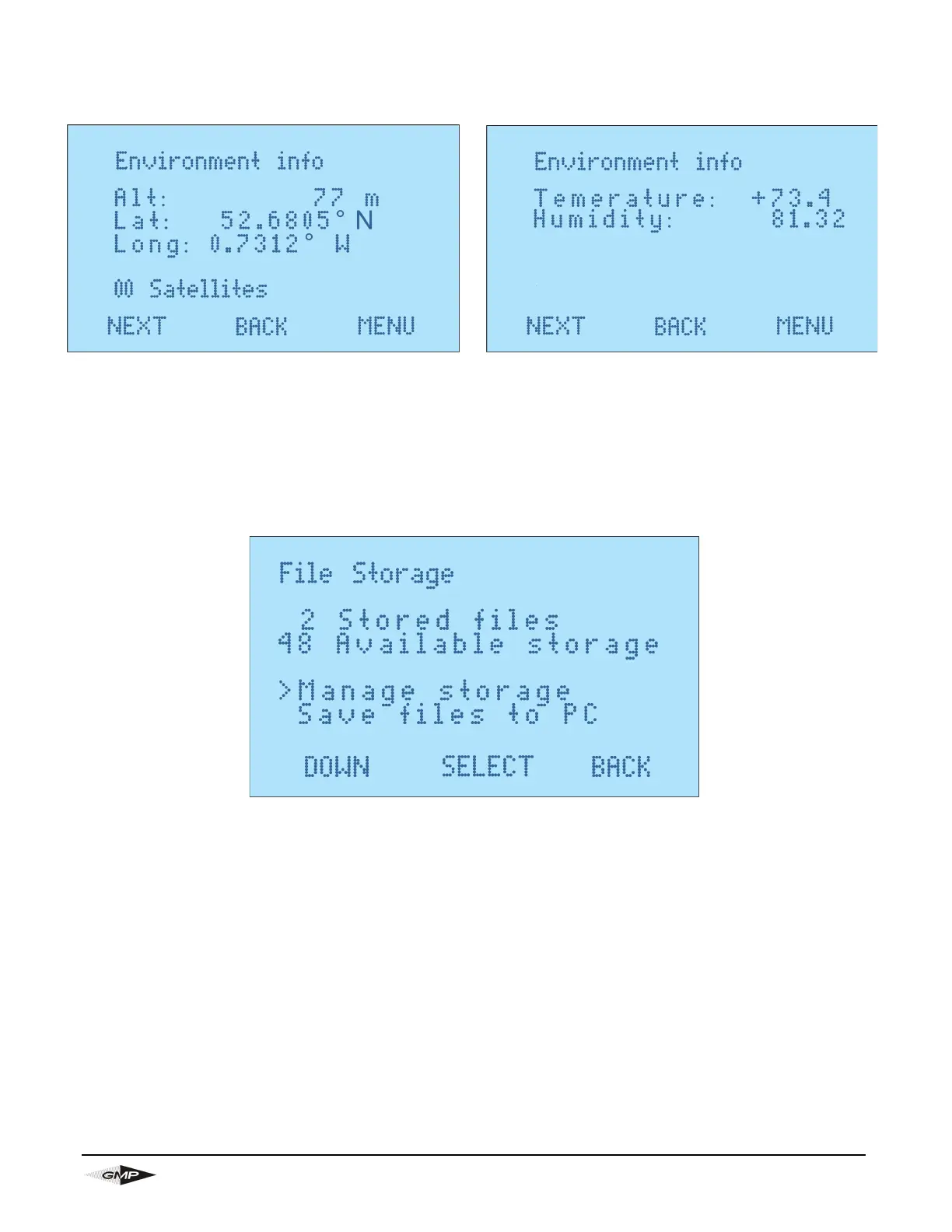
This screen is selected from the main screen by selecting “Environment Info”.
The environment info is shown through 2 difference screens. The first screen shows GPS location infor-
mation, if 0 satellites are found the GPS location will default to the last known location.
13.7 FILE STORAGE SCREEN
This screen is selected from the main screen by selecting “File Storage”.
Under Manage storage you can select the following buttons:
1. “RESUME”- This resumes a job which has stopped due to the machines power cutting out for some
reason, for example if the generator runs out of fuel. If this happens the other data that will be retain is
the install distance and will resume at this distance.
2. “DEL ALL”- This deletes all jobs on saved to the machine.
Selecting “Save files to PC” will save the data to the PC if the Bluetooth is paired and the PC app is run-
ning and connected to the machine, see section 7.9 for more details.


 To Next Page