EasyManua.ls Logo

Godex DT200 Series - User Manual

Godex DT200 Series
55 pages
Print Icon
To Next Page IconTo Next Page
Loading...
DT200 Series
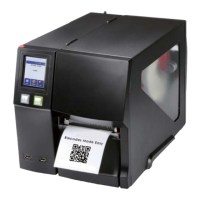
Thermal Label Printer
User Manual
DT200 Series User Manual
P/N:920-018311-00
Version: A.1
Issue date:2021/10/15
Question and Answer IconNeed help?

Do you have a question about the Godex DT200 Series and is the answer not in the manual?

Summary

SAFETY INSTRUCTIONS

1 Thermal Label Printer

1.1 Box Content

Lists all items included in the printer package.

1.2 Getting to know your printer

Identifies and describes the external parts of the printer.

2 Printer Setup

2.1 Loading the label

Detailed steps for correctly loading labels into the printer.

2.2 Switching label roll holder

Instructions for replacing or switching the label roll holder.

2.3 Connecting the Printer to the Host Computer

Guide on how to connect the printer to a computer system.

2.4 Installing GoLabel

Step-by-step process for installing the GoLabel software.

2.5 Installing the driver

Instructions for installing the printer driver on a computer.

3 Printer Setting and Control

3.1 Operation Panel Introduction

Explains the functions of the printer's physical control panel buttons.

3.2 LED Status (DT200;DT200 L Series)

Interpreting the status indicated by the printer's LED lights.

3.3 Error Alerts

Identifies printer errors, beeps, and provides solutions.

3.4 LCD Interface Introduction(DT200 i;DT200 iL Series)

Guide to the printer's LCD screen and navigation for settings.

3.5 LAN Setting(DT200 i;DT200 iL Series)

Configuration of network settings using the Ethernet port.

3.6 LCD Password (DT200 i;DT200 iL Series)

Procedures for setting or changing the LCD password.

3.7 LCD Interface Function(DT200 i;DT200 iL Series)

Overview of various functions available via the LCD menu.

3.8 Status of LCD Interface (DT200 i;DT200 iL Series)

Understanding the different status messages on the printer's LCD.

3.9 Error Alerts (DT200 i;DT200 iL Series)

Specific error alerts and solutions for the DT200i/DT200iL models.

3.10 USB Host

Usage of USB host port for memory sticks, keyboards, and scanners.

4 NetSetting for Ethernet

4.1 Installing the NetSetting software

Guide to installing the NetSetting application.

4.2 The Interface of NetSetting

Explanation of the NetSetting software's user interface and features.

5 Maintenance and Adjustment

5.1 Cleaning the Print Head

Step-by-step instructions for cleaning the printer's print head.

5.2 Troubleshooting

Common printer problems and their recommended solutions.

Appendix

DT200 series Printer Specification

Detailed technical specifications for the DT200 series printers.

Interface

File Manipulation When Using USB Stick

Summary

SAFETY INSTRUCTIONS

1 Thermal Label Printer

1.1 Box Content

Lists all items included in the printer package.

1.2 Getting to know your printer

Identifies and describes the external parts of the printer.

2 Printer Setup

2.1 Loading the label

Detailed steps for correctly loading labels into the printer.

2.2 Switching label roll holder

Instructions for replacing or switching the label roll holder.

2.3 Connecting the Printer to the Host Computer

Guide on how to connect the printer to a computer system.

2.4 Installing GoLabel

Step-by-step process for installing the GoLabel software.

2.5 Installing the driver

Instructions for installing the printer driver on a computer.

3 Printer Setting and Control

3.1 Operation Panel Introduction

Explains the functions of the printer's physical control panel buttons.

3.2 LED Status (DT200;DT200 L Series)

Interpreting the status indicated by the printer's LED lights.

3.3 Error Alerts

Identifies printer errors, beeps, and provides solutions.

3.4 LCD Interface Introduction(DT200 i;DT200 iL Series)

Guide to the printer's LCD screen and navigation for settings.

3.5 LAN Setting(DT200 i;DT200 iL Series)

Configuration of network settings using the Ethernet port.

3.6 LCD Password (DT200 i;DT200 iL Series)

Procedures for setting or changing the LCD password.

3.7 LCD Interface Function(DT200 i;DT200 iL Series)

Overview of various functions available via the LCD menu.

3.8 Status of LCD Interface (DT200 i;DT200 iL Series)

Understanding the different status messages on the printer's LCD.

3.9 Error Alerts (DT200 i;DT200 iL Series)

Specific error alerts and solutions for the DT200i/DT200iL models.

3.10 USB Host

Usage of USB host port for memory sticks, keyboards, and scanners.

4 NetSetting for Ethernet

4.1 Installing the NetSetting software

Guide to installing the NetSetting application.

4.2 The Interface of NetSetting

Explanation of the NetSetting software's user interface and features.

5 Maintenance and Adjustment

5.1 Cleaning the Print Head

Step-by-step instructions for cleaning the printer's print head.

5.2 Troubleshooting

Common printer problems and their recommended solutions.

Appendix

DT200 series Printer Specification

Detailed technical specifications for the DT200 series printers.

Interface

File Manipulation When Using USB Stick

Godex DT200 Series Specifications

General IconGeneral
Print MethodDirect Thermal
Print Resolution203 dpi
Print Speed4 IPS (102 mm/s)
InterfaceUSB
Media Length10 mm (0.39") ~ 1000 mm (39.37")
Media Thickness0.06 mm (0.002") ~ 0.2 mm (0.0079")
Core Diameter25.4 mm (1")
Processor32 bit RISC CPU
Power100-240V AC, 50/60 Hz
Supported Barcode TypesCode 39, Code 128, UPC-A, UPC-E, EAN-8, EAN-13, Codabar, MSI, POSTNET, PDF417, Data Matrix, QR Code

Related product manuals