Need help?
Do you have a question about the Godex DT2x and is the answer not in the manual?
Lists all items included with the printer package for unboxing.
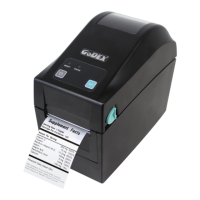
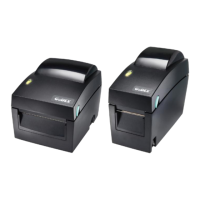
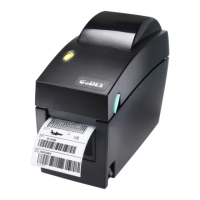
Details the technical specifications and capabilities of the DT2 and DT4 series printers.
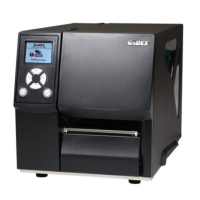
Identifies and illustrates the main external components and parts of the printer.
Step-by-step instructions for correctly loading label rolls into the printer.
Instructions for attaching and securing the label roll holder accessory.
Guide for establishing physical and logical connections between the printer and a computer.
Procedures for installing the necessary printer driver software on the host computer.
Explains the operation and function of the FEED button for label feeding.
Describes the meaning of different LED colors and patterns for printer status.
Details the process for the printer to automatically detect and store label dimensions.
Instructions on how to perform a self-test to check printer functionality.
Lists common printer errors, their indications, and recommended solutions.
Guide to installing the network configuration utility for Ethernet-connected printers.
Introduces the main interface and search functionality of the NetSetting software.
How to configure IP address, gateway, and other network settings via NetSetting.
Setting up email (SMTP) and SNMP notifications for printer alerts.
Customizing which error messages are sent via SMTP or SNMP.
Adjusting core printer parameters using the NetSetting software.
Using NetSetting for direct command input and output for printer control.
Instructions for updating printer firmware and restoring factory settings.
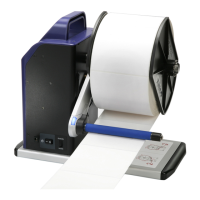
Step-by-step guide for mounting and connecting the label dispenser accessory.
Detailed instructions for installing the optional label cutter module.
Procedures for cleaning the printer's thermal print head to ensure print quality.
Steps to adjust or fix issues with the installed cutter module.
Guidelines for using labels with black marks for proper sensor detection.
A guide to diagnosing and resolving common issues encountered with the printer.
Technical details and pinouts for the RS-232 serial port connection.
Information on the USB port type and its pin assignment for connectivity.
Overview of internal connections for UART and Ethernet modules.
 General
| Color | - |
|---|---|
| Text style | Bold, Italic, Underline |
| Printing colors | Black |
| Print technology | Direct thermal |
| Vertical printing | Yes |
| Maximum resolution | 203 x 203 DPI |
| Maximum print height | 1727 mm |
| Minimum print length | 4 mm |
| Maximum printing width | 54 mm |
| AC input voltage | 100-240 V |
| AC input frequency | 50 - 60 Hz |
| RS-232 ports | 1 |
| USB 2.0 ports quantity | USB 2.0 ports have a data transmission speed of 480 Mbps, and are backwards compatible with USB 1.1 ports. You can connect all kinds of peripheral devices to them. |
| Connectivity technology | Wired |
| Bitmap fonts | OCR-A, OCR-B |
| Flash memory | 4 MB |
| Built-in barcodes | 1D, 2D, Code 93, Code-128 Codabar Library |
| Image formats supported | BMP, PCX |
| Page description languages | EZPL, GDPL, GEPL, GZPL |
| Media thickness | 0.076 - 0.2 mm |
| Maximum print size | 54 x 1727 mm |
| Maximum roll diameter | 127 mm |
| Storage temperature (T-T) | -20 - 50 °C |
| Operating temperature (T-T) | 5 - 40 °C |
| Storage relative humidity (H-H) | 10 - 90 % |
| Operating relative humidity (H-H) | 30 - 85 % |
 Weight and Dimensions
| Depth | 218 mm |
|---|---|
| Width | 100 mm |
| Height | 172 mm |
| Weight | 1070 g |


 To Next Page