EasyManua.ls Logo

Godex DT2x - Installing the Label Roll Holder; Operator Panel Functions

Godex DT2x
39 pages
Print Icon
To Next Page IconTo Next Page
To Previous Page IconTo Previous Page
Loading...
11
DT2 / DT4 series User Manual
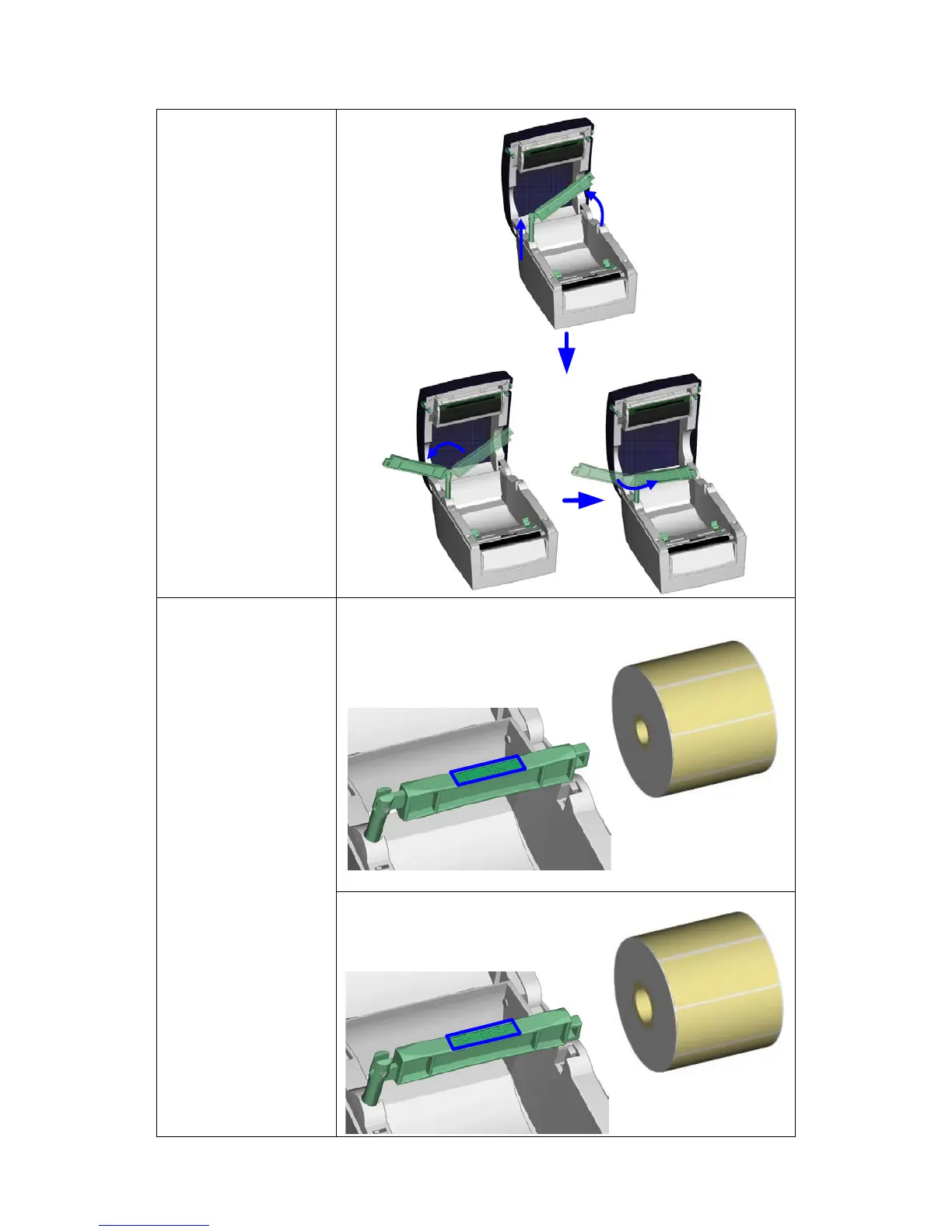
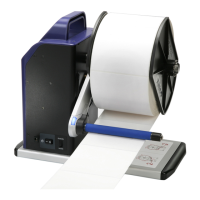
2-2. Installing the label roll holder
1. Pull the label roll
holder out as far
as it will go.
2. Fold out the label
supply hub as
shown in the
illustration.
3. Now rotate the
label roll holder to
return the label
supply hub to its
original position.
Press down the
label supply hub
until it clicks into
place.
A. To load label
stock with a 1"
core, the locking
notch must be at
the top of the
label supply hub.
B. To load label
stock with a 1.5"
core, the locking
notch must be at
the bottom of the
label supply hub.
Note
The hub is also marked
on both sides to
indicate
the core size, as shown
in the illustration.
1" core
1.5" core

Related product manuals