EasyManua.ls Logo

Godex DT2x - Accessory Installation; Installing the Label Dispenser

Godex DT2x
39 pages
Print Icon
To Next Page IconTo Next Page
To Previous Page IconTo Previous Page
Loading...
26
DT2 / DT4 series User Manual
5. Accessories
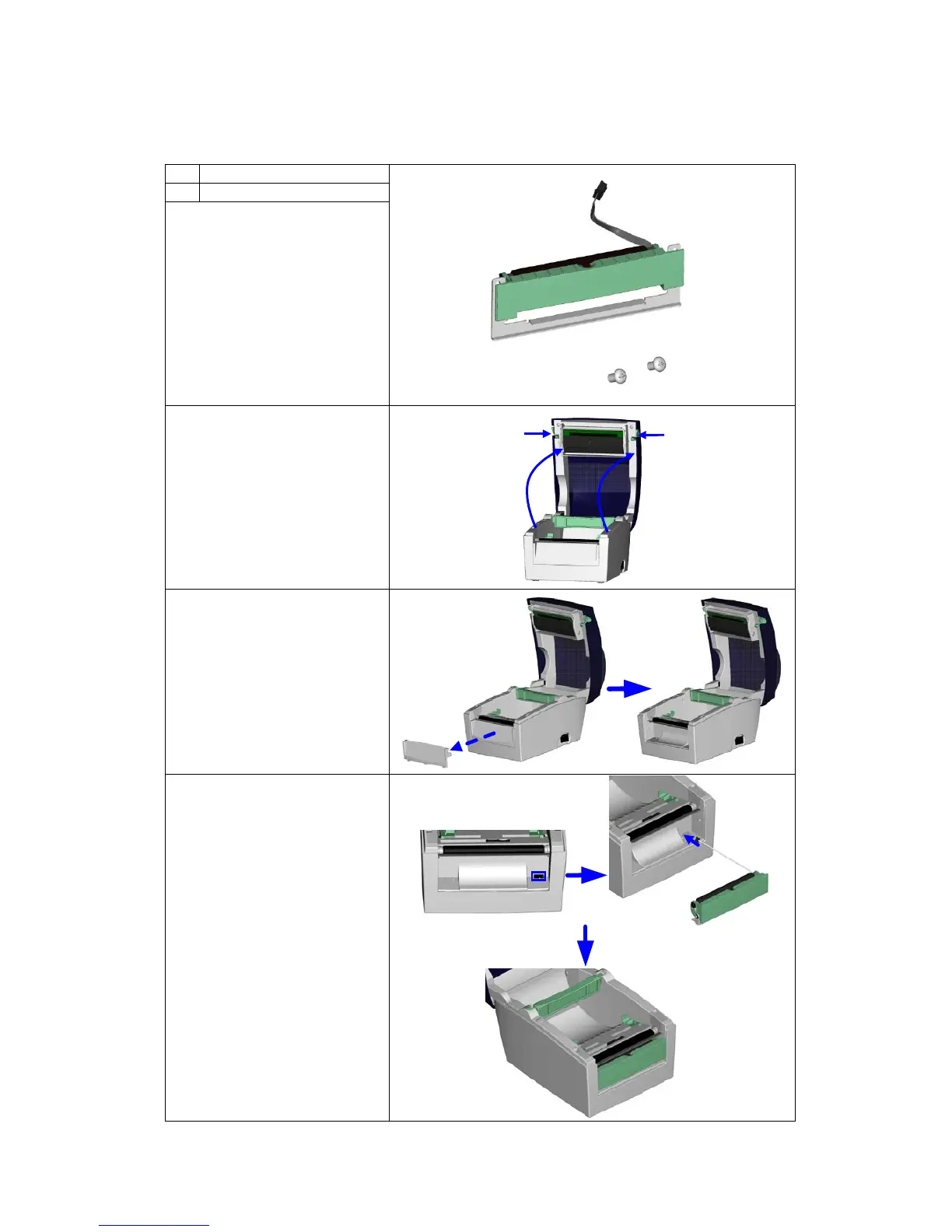
5-1. Installing the label dispenser
1
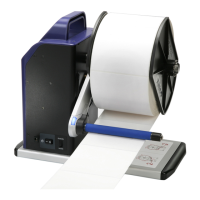
Label dispenser
2
Screws (set of 2)
Note1
Remember to
switch off the printer before
installing the label dispenser.
Note 2
A label liner
thickness of 0.006 mm ± 10%
and a weight of 65 g/m
2
±
6% are recommended.
Note3
The label dispenser
will take labels up to a max.
width of 110 mm (DT4) or 54
mm (DT2).
1. Place the printer on a
flat surface and open
the printer cover.
2. Remove the front cover.
Note
You can use a coin or
screwdriver to open the
cover.
3. Pass the dispenser cable
through the opening as
shown in the illustration.
4. Fit the label dispenser in
the recess provided.
2
1

Related product manuals