25
DT2 / DT4 series User Manual
Firmware Download
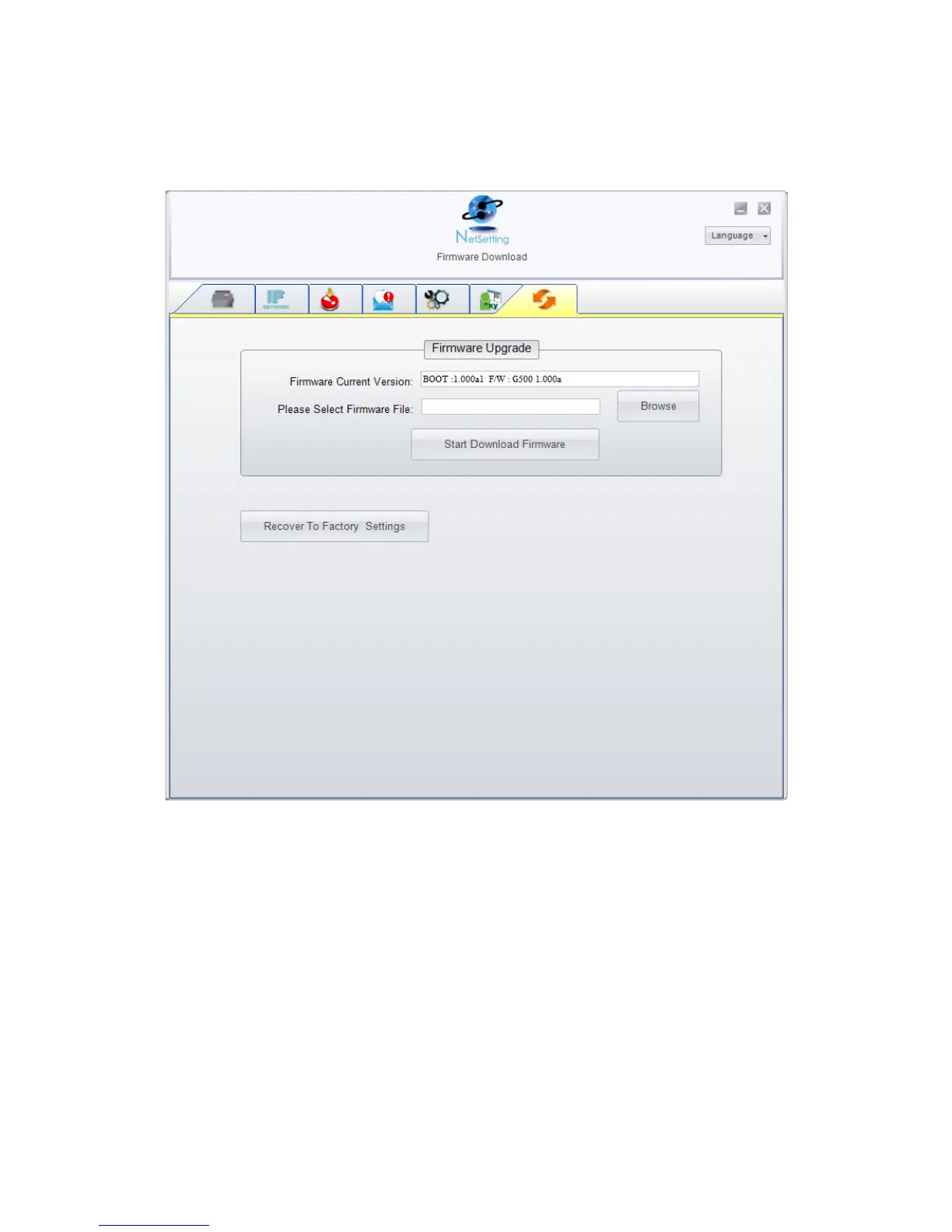
On “Firmware Download” tab, the current version of printer firmware will be showed on
the screen. If you need to update the printer firmware, just specify the file location of
firmware file and press “Start Download Firmware” button. The printer firmware then can
be updated remotely.
In addition to the firmware update, you can press “Recover To Factory Settings” button
to restore the printer configurations back to factory default.



 To Next Page