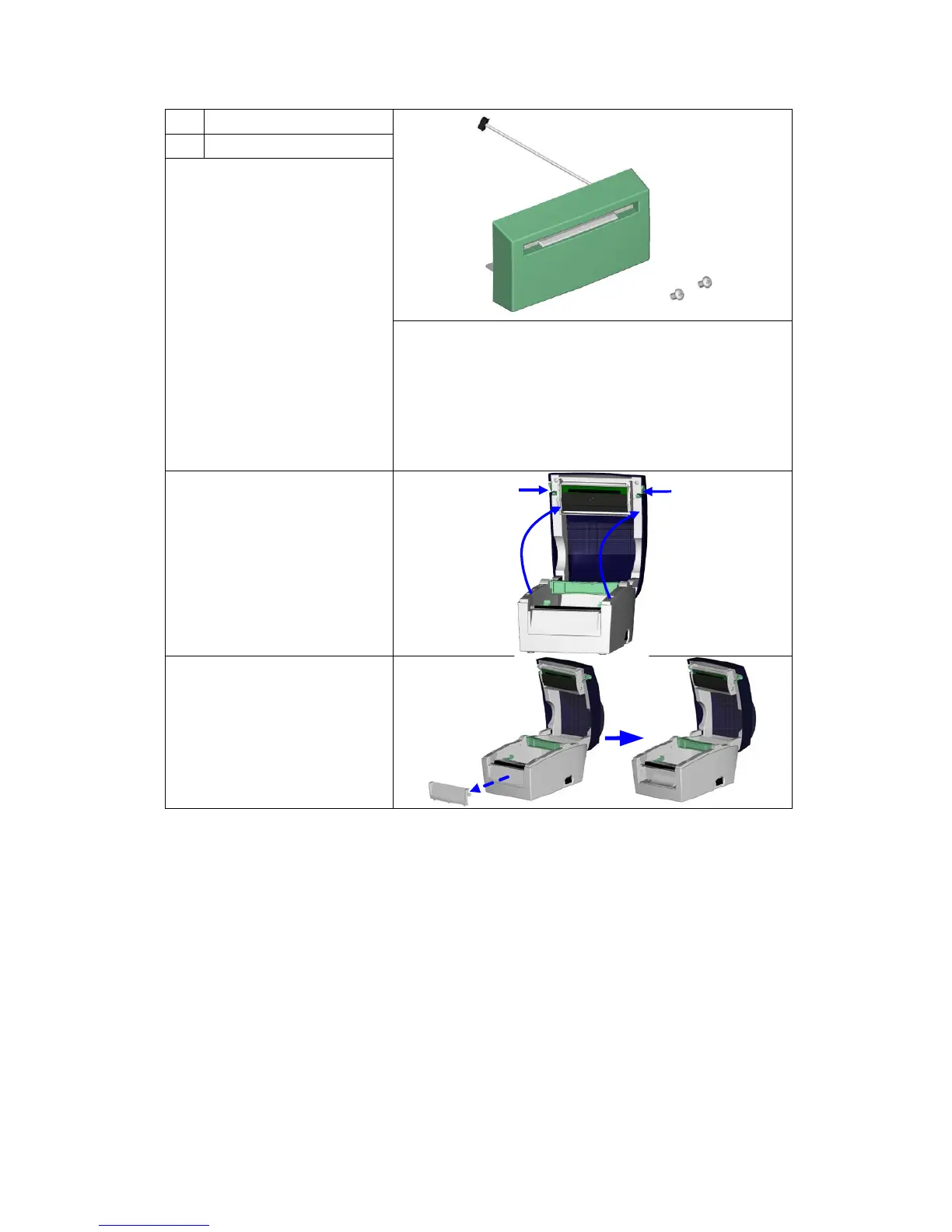
Remember to switch off the
printer before installing the
cutter.
【
Note 1
】
Do not use to cut adhesive
labels! Glue residue will be
left on the cutter blade and
impair its functioning. The
cutter has a blade life of
1,000,000 cuts when using
paper weighing up to
120 g/m² and 500,000 cuts
when using paper weighing
between 120 g and 170
g/m².
【
You can cut paper with a max. width of 114 mm.
【
Note 3
】
Labels should be at least 30 mm high (DT4).
(DT2: 40 mm)
【
Suggestion
】
During installation of the cutter, set the stop position in



 To Next Page